
Key facts
- Manuals
- 2
- Languages
- EN
- Last added
- 2023-10-18
Featured Inepro manuals
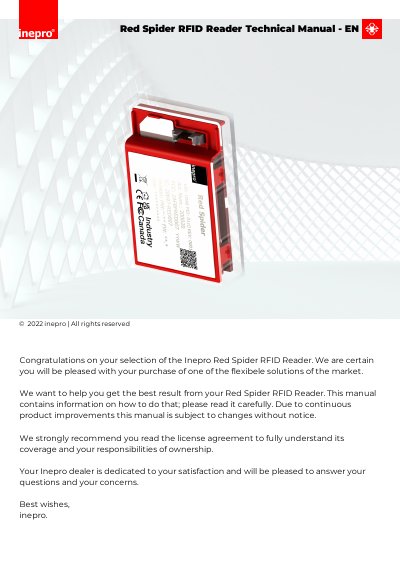
Inepro Red Spider RFID Reader User Manual
This manual provides step-by-step instructions for installing and configuring the Inepro Red Spider RFID Reader. It covers hardware and software setup, LED indicators, and troubleshooting common issues. The device reads RFID tags at 125KHz and 13.56 MHz and connects via USB to a computer.
The manual includes safety warnings, compliance certifications (FCC, CE, RCM), and technical specifications such as power, dimensions, and CPU details. It also explains how to test the hardware and interpret LED status indicators for proper operation.
Covers: Introduction · Requirements · Components · Software · Hardware User Interface · LED's
Inepro DocuPRO embedded Client for Konica Minolta Technical Manual
This document serves as the technical manual for the Inepro DocuPRO embedded Client, a software solution designed for Konica Minolta multifunctional devices. It enables printing, scanning, and copying without the need for an external payment device by running on the device's internal operating system. The manual is applicable to products with version 4.31 or higher.
Covers: Introduction · Open API User Interface · Open API Service · Open API FTP Service · Configuration · Communication
Latest Inepro manuals
Inepro Red Spider RFID Reader User Manual
User Manual 12 pages · 5.1 MB · ENUser guide for Inepro Red Spider RFID Reader, covering setup, hardware test, LED indicators, and troubleshooting.
Inepro DocuPRO embedded Client for Konica Minolta Technical Manual
User Manual 32 pages · 1.2 MB · ENThis technical manual covers the installation, configuration, and troubleshooting of the Inepro DocuPRO embedded Client for Konica Minolta multifunctional…
Which document do I need?
User Manual
Day-to-day operation, settings and troubleshooting. Start here if the product is already set up.
Questions answered in Inepro manuals
What RFID frequencies does the Red Spider RFID Reader support?
It can read Bluetooth Low Energy, 125KHz and 13.56 MHz tags.
How do I test the hardware?
Connect the reader to a USB port, check the LED indicators, and present a card to verify recognition.
What is the Inepro DocuPRO embedded Client for Konica Minolta?
It is an embedded solution that enables printing, scanning, and copying on multifunctional devices without an external payment device.
From: Inepro DocuPRO embedded Client for Konica Minolta Technical Manual
What version of the product does this manual apply to?
This revision of the manual can be applied to products with version 4.31 or higher.
From: Inepro DocuPRO embedded Client for Konica Minolta Technical Manual