
Key facts
- Manuals
- 1
- Languages
- EN
- Last added
- 2023-10-15
Featured Icon Time Systems manuals
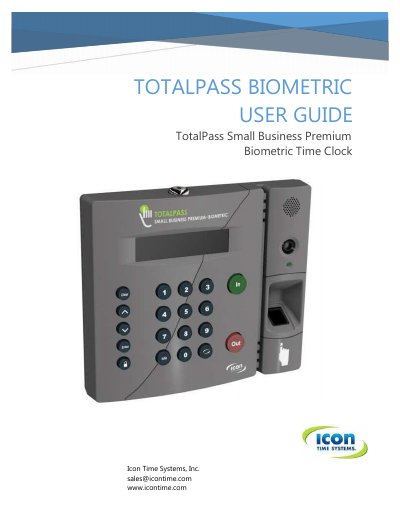
Icon Time Systems TotalPass Small Business Premium Biometric User Guide
The document serves as a comprehensive manual for the TotalPass Small Business Premium biometric time clock. It details how to register the device, navigate the software interface, and manage employee data including fingerprint enrollment and department assignments.
Key operational topics include clocking in and out via various methods such as biometric scans, proximity badges, and web punch entry. The guide also explains how to generate attendance reports, configure payroll exports for services like QuickBooks, and perform system maintenance tasks like backups and software updates.
Covers: Getting Familiar with Your Time Clock · Setting Your Time Clock Preferences · Setting Up Your Employees · Using Biometric Fingerprint Entry · Clocking In and Out · Departments and Supervisors
Latest Icon Time Systems manuals
Icon Time Systems TotalPass Small Business Premium Biometric User Guide
User Manual 150 pages · 5.3 MB · ENThis user guide covers the setup, operation, and maintenance of the Icon Time Systems TotalPass Small Business Premium biometric time clock.
Which document do I need?
User Manual
Day-to-day operation, settings and troubleshooting. Start here if the product is already set up.
Questions answered in Icon Time Systems manuals
How do I connect the time clock via Wi-Fi?
You can connect using the Clock Interface, a WPS button, or a WPS with PIN.
From: Icon Time Systems TotalPass Small Business Premium Biometric User Guide
What is the duration of the implied warranty for this time clock?
The duration of any implied warranties is limited to one year.
From: Icon Time Systems TotalPass Small Business Premium Biometric User Guide