
Key facts
- Manuals
- 1
- Languages
- EN
- Last added
- 2023-10-26
Featured Icon Process Controls manuals
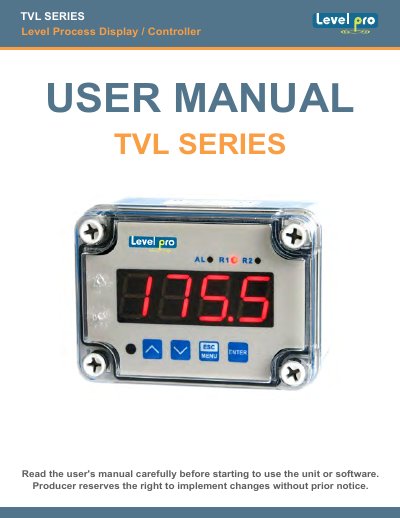
Icon Process Controls TVL Series Level Process Display / Controller User Manual
This user manual describes the TVL Series Level Process Display / Controller (referred to in the text as the TruVu meter) from Icon Process Controls. It covers basic safety requirements, general characteristics, technical data, device installation and unpacking, with a note that the manual is published at www.levelprosales.com.
The device has one current input 0-20/4-20 mA and one voltage input 0-5/1-5/0-10/2-10 V, selected in software, a 4-digit LED display with values from -999 to 9999 plus decimal point, up to two relay or OC outputs, an RS-485/Modbus RTU interface and a sensor supply output. It can be ordered in three power supply versions and uses an IR sensor under a transparent cover so presets can be changed without opening it. The extracted text also includes pages from a Level Pro Sensors manual on heavy duty industrial level transmitters.
Covers: Basic requirements and user safety · General characteristics · Technical data · Device installation - unpacking · Device installation - assembly
Latest Icon Process Controls manuals
Icon Process Controls TVL Series Level Process Display / Controller User Manual
User Manual 34 pages · 4.3 MB · ENUser manual for the Icon Process Controls TVL Series level process display/controller covering safety, technical data, installation and operation.
Which document do I need?
User Manual
Day-to-day operation, settings and troubleshooting. Start here if the product is already set up.
Questions answered in Icon Process Controls manuals
What inputs does the TVL Series display controller have?
It has one current input 0-20/4-20 mA and one voltage input 0-5/1-5/0-10/2-10 V; the active input is selected by software.
From: Icon Process Controls TVL Series Level Process Display / Controller User Manual
How can presets be changed without opening the cover?
An IR sensor on the front allows presets to be changed without opening the transparent cover, using an optional remote controller.
From: Icon Process Controls TVL Series Level Process Display / Controller User Manual