
Key facts
- Manuals
- 1
- Languages
- EN
- Last added
- 2026-10-31
Featured i-box manuals
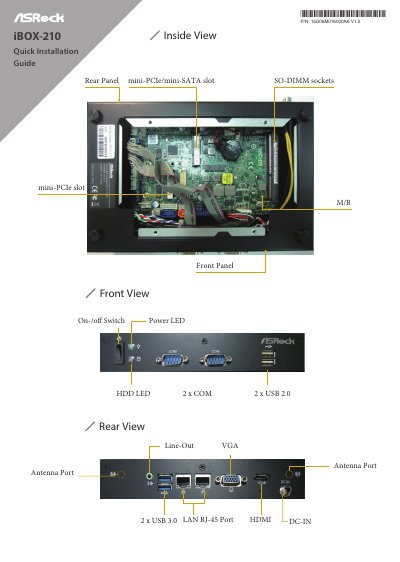
iBOX iBOX-210 Mini PC Quick Installation Guide
Installation Guide 2 pages · 949 KB · EN
This document provides a quick installation guide for the iBOX-210 mini PC. It details the procedure for removing the bottom cover and installing internal components, including SO-DIMM memory, hard drives, and WiFi modules.
Covers: Removing the Bottom Cover · Installing the SO-DIMM · Installing the Hard Drive · Installing the WiFi module · Installing the WiFi antennas · Replacing the Bottom Cover
Latest i-box manuals
iBOX iBOX-210 Mini PC Quick Installation Guide
Installation Guide 2 pages · 949 KB · ENQuick installation guide for the iBOX-210 mini PC, covering internal component installation and cover replacement.
Which document do I need?
Installation Guide
Mounting, wiring and first power-up. Read it before the hardware goes in.
Questions answered in i-box manuals
What ports are on the front panel of the iBOX-210?
The front panel has 2 x USB 2.0, 2 x USB 3.0, HDMI, VGA, and a Line-Out port.
What is the first priority SO-DIMM slot for installation?
The first priority SO-DIMM slot is DDR3_A2.