
Key facts
- Manuals
- 3
- Languages
- TR · ZH · EN
- Last added
- 2026-10-29
Featured Hi-Tech manuals
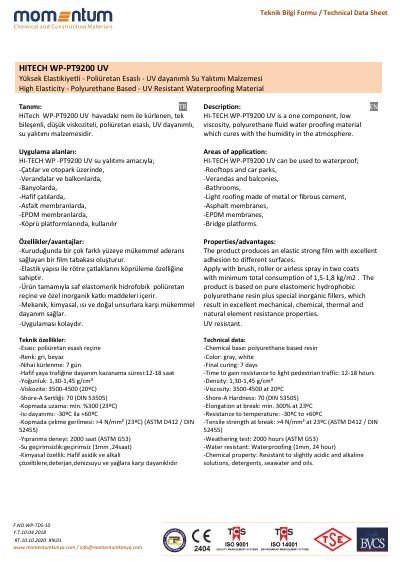
HiTech WP-PT9200 UV Waterproofing Material Technical Data Sheet
The HiTech WP-PT9200 UV is a single-component, low-viscosity, polyurethane-based fluid that cures in the presence of atmospheric humidity. It is designed to provide excellent adhesion to various surfaces and bridges shrinkage cracks due to its elastic structure. The material contains pure elastomeric hydrophobic polyurethane resin and special inorganic fillers. This manual is written in Turkish.
Covers: Tanımı / Description · Uygulama alanları / Areas of application · Özellikler/avantajlar / Properties/advantages · Teknik özellikler / Technical data · Yüzey hazırlığı / Surface preparation · Malzeme hazırlığı / Product preparation
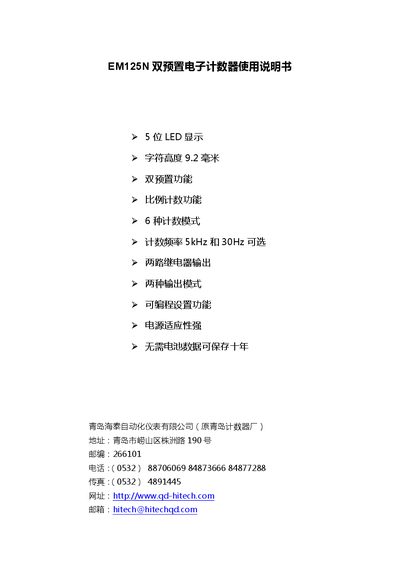
Hitech EM125N Dual Preset Electronic Counter User Manual
The Hitech EM125N is a 5-digit LED display electronic counter featuring dual preset functions, ratio counting capabilities, and six selectable counting modes. It supports two relay output channels with adjustable timing or steady-state outputs and offers high power adaptability without requiring a battery for data retention.
This guide details the installation dimensions and pin definitions for wiring connections. It explains how to program function codes (such as counting direction, encoder modes, and reset logic) and parameter settings (including preset values and correction factors). The document also describes dynamic versus static reset behaviors and output modes like arrival and region outputs. This manual is written in Chinese.
Covers: Installation Dimensions · Wiring Pin Definitions · Function Programming · Parameter Settings · Correction Values · Counting Modes
HITECH ADP Software User Manual
This manual provides instructions for installing the HITECH ADP software, navigating its environment, and creating HMI applications. It covers file management, object design, screen layout, and connecting HMI to PLCs. The guide includes practical exercises for building simple applications and troubleshooting communication errors between HMI and PLC systems.
The software interface includes menus for File, Edit, View, Screen, Draw, Object, Library, Application, Tool, Options, LadderPlus, Window, and Help. It supports creating objects like push buttons, numeric displays, indicators, and graphs. Users can download applications to HMIs and connect them to PLCs using communication cables and specific settings.
Covers: Installation Procedures · ADP Program Environment and Objects Overview · Creating Applications · Designing Screens · Connecting HMI to PLC · Communication Error Codes
Latest Hi-Tech manuals
HiTech WP-PT9200 UV Waterproofing Material Technical Data Sheet
Datasheet 3 pages · 349 KB · TRTechnical data sheet for HiTech WP-PT9200 UV, a one-component polyurethane-based waterproofing material with high elasticity and UV resistance.
Hitech EM125N Dual Preset Electronic Counter User Manual
User Manual 13 pages · 1 MB · ZHThis manual covers the installation, wiring, function programming, parameter settings, and technical specifications for the Hitech EM125N dual preset…
HITECH ADP Software User Manual
User Manual 89 pages · 2 MB · ENStep-by-step guide to install, configure, and use HITECH ADP software for HMI application development.
Which document do I need?
Datasheet
Ratings, dimensions and ordering codes, for selection and design work.
User Manual
Day-to-day operation, settings and troubleshooting. Start here if the product is already set up.
Questions answered in Hi-Tech manuals
What are the application areas for HiTech WP-PT9200 UV?
It can be used on rooftops, car parks, verandas, balconies, bathrooms, light roofing, asphalt membranes, EPDM membranes, and bridge platforms.
From: HiTech WP-PT9200 UV Waterproofing Material Technical Data Sheet
How should the surface be prepared before application?
The surface should be cleaned using jet water if possible to remove oil, grease, wax, cement laitance, loose particles, and mould release agents.
From: HiTech WP-PT9200 UV Waterproofing Material Technical Data Sheet
What are the two counting frequency options?
The counter supports a filtered contact signal input at 30Hz or an unfiltered input up to 5kHz.
From: Hitech EM125N Dual Preset Electronic Counter User Manual
How many relay output channels does the EM125N have?
The device features two relay output channels, each capable of adjustable timing or steady-state operation.
From: Hitech EM125N Dual Preset Electronic Counter User Manual
How do I install ADP software?
Boot up your computer in Windows 95/98/Me/2000/XP, then run Setup.exe from the CD or floppy disk. Confirm the destination hard drive and directory, then click Next to start automatic installation.
What file types can I open in ADP?
You can open *.P3F files (created by versions prior to ADP 3.0) and *.V3F files (created by ADP version 3.0 and after).