
Key facts
- Manuals
- 2
- Languages
- EN
- Last added
- 2023-01-04
Featured Hamilton/Buhl manuals
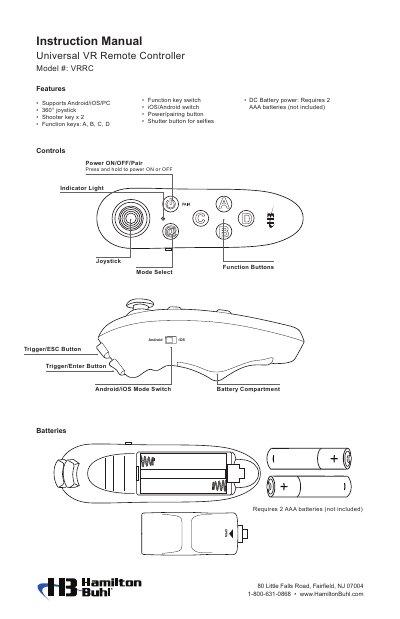
Hamilton Buhl VRRC Universal VR Remote Controller Instruction Manual
The Hamilton Buhl Model VRRC is a universal remote controller designed to support Android, iOS, and PC devices. Key features include a 360-degree joystick, two shooter keys, function keys (A, B, C, D), an iOS/Android mode switch, and a shutter button for taking selfies. The device operates using two AAA batteries which are not included in the package.
Covers: Features · Controls · Power and Pairing · Operation Note · Media Mode · VR Mode/Video Mode
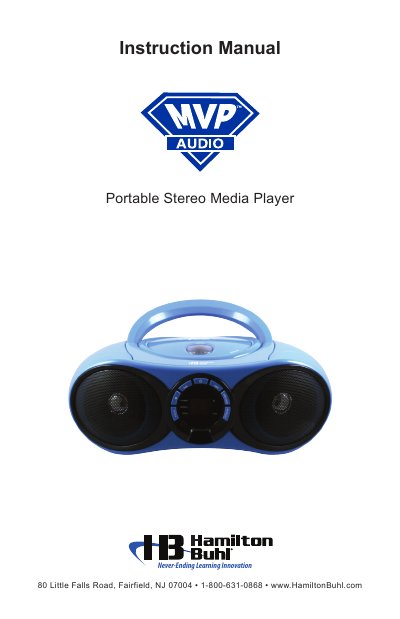
Hamilton Buhl AudioMVP Portable Stereo Media Player Instruction Manual
The document provides comprehensive instructions for operating the Hamilton Buhl AudioMVP™ Portable Stereo Media Player. It details safety precautions, feature descriptions including CD playback, FM radio, and Bluetooth connectivity, as well as step-by-step guides for setup and usage.
Covers: Warnings and Precautions · Important Safety Instructions · Features · Feature Controls · Indicator Messages · Setup Power
Latest Hamilton/Buhl manuals
Hamilton Buhl VRRC Universal VR Remote Controller Instruction Manual
User Manual 2 pages · 462 KB · ENThis manual provides instructions for the Hamilton Buhl Model VRRC Universal VR Remote Controller, covering power pairing, operation modes, and safety warnings.
Hamilton Buhl AudioMVP Portable Stereo Media Player Instruction Manual
User Manual 16 pages · 2.3 MB · ENThis instruction manual covers the setup, operation, and specifications for the Hamilton Buhl AudioMVP portable stereo media player.
Which document do I need?
User Manual
Day-to-day operation, settings and troubleshooting. Start here if the product is already set up.
Questions answered in Hamilton/Buhl manuals
How do I pair the remote with my phone?
Press and hold the Power/Pair button until the indicator flashes blue, then select VR BOX in your Bluetooth settings.
From: Hamilton Buhl VRRC Universal VR Remote Controller Instruction Manual
How do I turn off the remote?
Press and hold the Power/Pair button for 5 seconds.
From: Hamilton Buhl VRRC Universal VR Remote Controller Instruction Manual
How do I pair the AudioMVP with a Bluetooth device?
Press and hold the Play/Pause/Pair button until the Bluetooth indicator flashes, then select 'HB100BT2' from your device's list.
From: Hamilton Buhl AudioMVP Portable Stereo Media Player Instruction Manual
What batteries are required for DC power?
The unit requires eight LR14 “C” size or UM2 batteries providing a total of 12V.
From: Hamilton Buhl AudioMVP Portable Stereo Media Player Instruction Manual