
Key facts
- Manuals
- 1
- Languages
- EN
- Last added
- 2023-11-06
Featured Dynamic Controls manuals
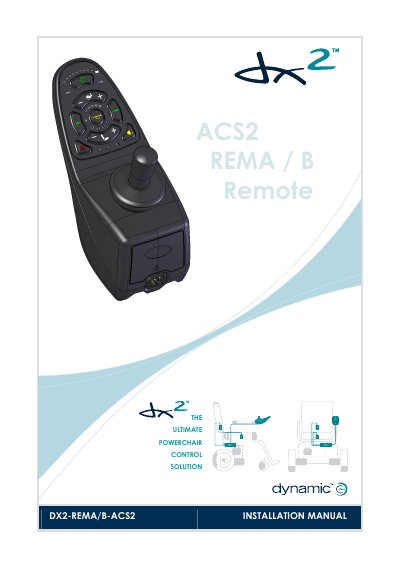
Dynamic Controls DX2-REMA/B-ACS2 ACS2 Remote Installation Manual
The DX2-REMA/B-ACS2 is a DX-compatible simple Master Remote in the DX2 range. According to the manual, it has an LED-based display, joystick driving, actuator and light operation, system configuration backup with DX2 Power Modules, and a low-force joystick.
The manual explains keypad operation, turning the DX System on and off, drive profiles, horn, seating functions, battery gauge and fault indications. It also covers installation and testing, specifications, mounting, connection with the DX System, programming parameters and appendices including maintenance and safety warnings.
Covers: Introduction to the DX2-REMA/B-ACS2 · ACS2 Operation · The Keypad · Turning the DX System on and off · Driving · The Seating Functions
Latest Dynamic Controls manuals
Dynamic Controls DX2-REMA/B-ACS2 ACS2 Remote Installation Manual
Installation Guide 40 pages · 2.7 MB · ENInstallation manual for the Dynamic Controls DX2-REMA/B-ACS2 ACS2 remote, covering operation, mounting, connection, programming and testing.
Which document do I need?
Installation Guide
Mounting, wiring and first power-up. Read it before the hardware goes in.
Questions answered in Dynamic Controls manuals
How do I turn the DX System on or off?
Press the on/off button. If the on/off button is pressed while the chair is driving, the chair will perform an emergency stop before it turns off.
From: Dynamic Controls DX2-REMA/B-ACS2 ACS2 Remote Installation Manual
How do I lock and unlock the DX System?
Press the on/off button for 4 seconds to lock the DX System. To unlock it, press the on/off button and then press the horn button twice within 10 seconds.
From: Dynamic Controls DX2-REMA/B-ACS2 ACS2 Remote Installation Manual