
Key facts
- Manuals
- 3
- Languages
- ES · EN
- Last added
- 2026-10-29
Featured Denver Electronics manuals
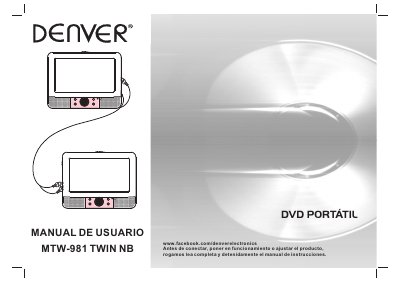
Denver Electronics MTW-981 TWIN NB Portable DVD Player User Manual
The document serves as a comprehensive guide for the Denver Electronics MTW-981 TWIN NB portable DVD player. It begins with critical safety warnings regarding electrical hazards, laser radiation, and proper ventilation to prevent damage or injury. The manual details the registration process, including where to find the serial number on the unit.
The guide proceeds to identify controls for both the main TFT screen and the remote control, explaining functions such as audio selection, subtitle switching, zoom levels, and playback speed adjustments. It concludes with a technical specifications section listing power requirements, laser wavelength, signal formats (NTSC/PAL), and dynamic range. This manual is written in Spanish.
Covers: Instrucciones de seguridad · Precauciones de seguridad · Identificación de los controles · Mando a distancia · Configuración del menú · Especificaciones técnicas
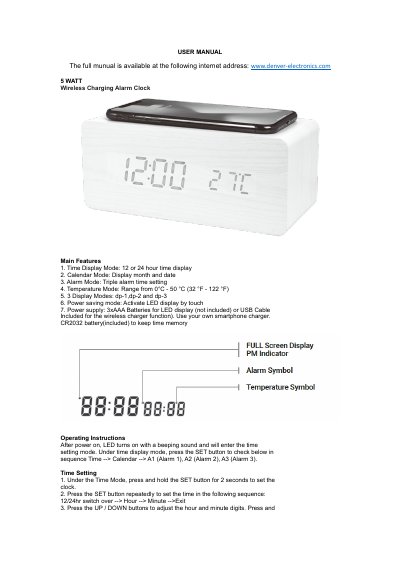
Denver Electronics ECQ-104NL 5W Wireless Charging Alarm Clock User Manual
This user manual covers the operation of the Denver Electronics ECQ-104NL 5W wireless charging alarm clock. It includes instructions for setting time, date, and alarms, switching display modes, and using power-saving and touch control features. The device charges via USB and displays temperature, with a built-in CR2032 battery to retain time settings when power is off.
The manual also details specifications such as input/output voltage, charging distance, and power consumption, and includes safety information regarding disposal of electronic waste.
Covers: Main Features · Operating Instructions · Time Setting · Date Setting · Alarm Setting · Temperature Display
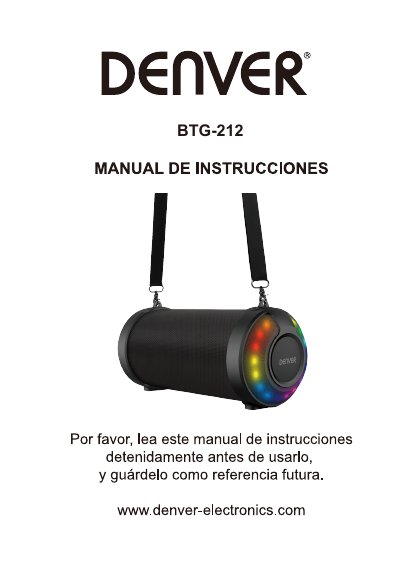
Denver Electronics BTG-212 BTS-53 Bluetooth Speaker User Manual
This manual describes the functions and features of the BTG-212 and BTS-53 Bluetooth speakers. It includes information on buttons, ports, LED indicators, TWS mode, and compatibility with multimedia files. The document also provides technical specifications such as the operating frequency range and maximum output power. This manual is written in Spanish.
Covers: Botones · Puertos · Indicador LED · Modo TWS · Archivos multimedia · Especificaciones técnicas
Latest Denver Electronics manuals
Denver Electronics MTW-981 TWIN NB Portable DVD Player User Manual
User Manual 8 pages · 1007 KB · ESThis user manual provides safety instructions, control identification, menu configuration steps, and technical specifications for the Denver Electronics…
Denver Electronics ECQ-104NL 5W Wireless Charging Alarm Clock User Manual
User Manual 4 pages · 545 KB · ENUser manual for Denver Electronics' 5W wireless charging alarm clock with time, date, temperature, and triple alarm features.
Denver Electronics BTG-212 BTS-53 Bluetooth Speaker User Manual
User Manual 4 pages · 2.4 MB · ESUser manual for the Denver Electronics BTG-212 and BTS-53 Bluetooth speakers, covering button functions, ports, LED indicators, TWS mode, compatible files…
Which document do I need?
User Manual
Day-to-day operation, settings and troubleshooting. Start here if the product is already set up.
Questions answered in Denver Electronics manuals
What is the maximum extension cable length allowed for USB?
The use of an extension USB cable longer than 250mm is prohibited.
From: Denver Electronics MTW-981 TWIN NB Portable DVD Player User Manual
Where is the serial number located?
The serial number can be found on the back of the unit.
From: Denver Electronics MTW-981 TWIN NB Portable DVD Player User Manual
How do I set the time on this alarm clock?
Under Time Mode, press and hold the SET button for 2 seconds to set the clock. Then press SET repeatedly to set 12/24hr, hour, and minute, adjusting with UP/DOWN buttons.
From: Denver Electronics ECQ-104NL 5W Wireless Charging Alarm Clock User Manual
What is the charging distance for this device?
The charging distance is 5 to 10 millimeters.
From: Denver Electronics ECQ-104NL 5W Wireless Charging Alarm Clock User Manual
What multimedia files are compatible with the USB port?
The compatible files are MP3, WAV, and WMA.
From: Denver Electronics BTG-212 BTS-53 Bluetooth Speaker User Manual
How do I enable TWS mode?
Press the TWS button briefly to pair two speakers for a stereo set.
From: Denver Electronics BTG-212 BTS-53 Bluetooth Speaker User Manual