
Key facts
- Manuals
- 4
- Languages
- EN · CS
- Last added
- 2023-10-19
Featured Cyber Power manuals
CyberPower CP850PFCLCD CP1000PFCLCD UPS User Manual
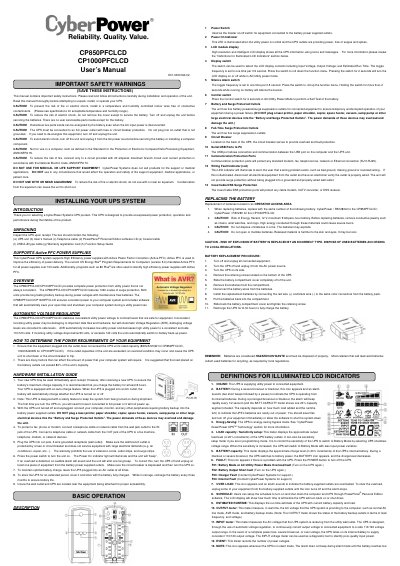
This document is the user manual for the CyberPower CP850PFCLCD and CP1000PFCLCD Uninterruptible Power Supply (UPS) units. It outlines critical safety precautions, such as avoiding use in computer rooms or near aquariums, and details the unpacking process which includes checking for specific components like the PowerPanel software CD and coaxial cable. The manual explains the unit's features, including Active PFC support, Automatic Voltage Regulation (AVR), and the function of the LCD display and various control switches.
Covers: Introduction · Unpacking · Hardware Installation Guide · Description of Controls · Replacing the Battery · LCD Indicators
CyberPower PR1000LCD/PR1500LCD User's Manual
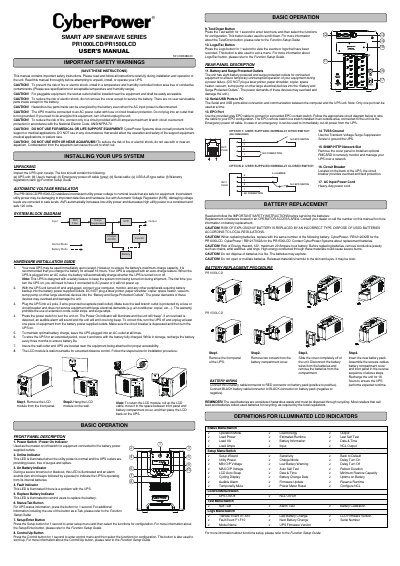
This manual provides safety warnings and installation instructions for the CyberPower PR1000LCD/PR1500LCD uninterruptible power supply. It covers proper setup, connection to AC outlets, and handling of battery replacement. The unit features automatic voltage regulation and an LCD display for monitoring status. Safety precautions include avoiding use near aquariums, ensuring proper grounding, and not plugging high-power devices into battery outlets.
The manual also details front and rear panel controls, including power switches, indicators, and configuration buttons. It includes step-by-step battery replacement procedures and warnings about hazardous materials. Users are advised to recharge the battery after replacement and to maintain optimal charge by keeping the unit plugged in.
Covers: Safety Warnings · Unpacking and Installation · Hardware Installation Guide · Front Panel Description · Rear Panel Description · Battery Replacement Procedure
CyberPower CSB600WS 6-Outlet Surge Protector User Manual
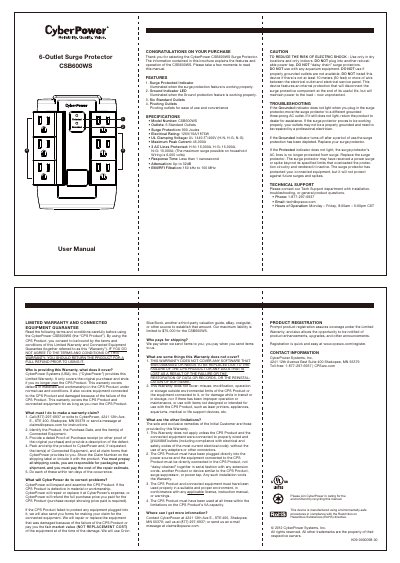
The CyberPower CSB600WS is a 6-outlet surge protector featuring pivoting outlets for convenience. It includes illuminated indicators for surge protection status and ground connection integrity to ensure safe operation.
Key specifications include 900 Joules of surge protection, an electrical rating of 125V/15A/1875W, and a response time of less than one nanosecond. The device complies with UL 1449 standards for clamping voltage.
Covers: Features · Specifications · Caution · Troubleshooting · Technical Support · Limited Warranty
CyberPower BS450ELCD-DE/BS650ELCD-DE/BS850ELCD-DE UPS User Manual
This manual provides instructions for the CyberPower BS450ELCD-DE, BS650ELCD-DE, and BS850ELCD-DE Uninterruptible Power Supply (UPS) units. It details safety precautions, installation steps including hardware setup and software configuration, and describes the device's features such as the LCD display and communication ports. The document also explains the indicators on the LCD screen to help users monitor the UPS status. This manual is written in Czech.
Covers: Safety Instructions · Installation · Device Description · LCD Display Indicators · Technical Specifications · Troubleshooting
Latest Cyber Power manuals
CyberPower CP850PFCLCD CP1000PFCLCD UPS User Manual
User Manual 2 pages · 811 KB · ENThis manual provides safety instructions, installation steps, and battery replacement procedures for CyberPower CP850PFCLCD and CP1000PFCLCD UPS units.
CyberPower PR1000LCD/PR1500LCD User's Manual
User Manual 2 pages · 2.9 MB · ENUser manual for CyberPower PR1000LCD/PR1500LCD UPS with safety instructions, installation, operation, and battery replacement details.
CyberPower CSB600WS 6-Outlet Surge Protector User Manual
User Manual 1 pages · 883 KB · ENThis manual provides features, specifications, troubleshooting steps, and warranty information for the CyberPower CSB600WS surge protector.
CyberPower BS450ELCD-DE/BS650ELCD-DE/BS850ELCD-DE UPS User Manual
User Manual 7 pages · 263 KB · CSUser manual for CyberPower BS450ELCD-DE, BS650ELCD-DE, and BS850ELCD-DE UPS models, covering installation, operation, and troubleshooting.
Which document do I need?
User Manual
Day-to-day operation, settings and troubleshooting. Start here if the product is already set up.
Questions answered in Cyber Power manuals
What is the recommended charging time for a new UPS?
It is recommended to charge the battery for at least 8 hours after receiving a new UPS.
Can I use this UPS for medical equipment?
No, the unit must not be used for medical or life support equipment.
What should I do if the UPS detects an overload?
Turn off and unplug the UPS, unplug at least one device, depress the circuit breaker, then turn the UPS back on.
What is the maximum branch circuit overcurrent protection required for the UPS?
The unit must be connected to a circuit provided with 20 amperes maximum branch circuit overcurrent protection.
What does the Surge Protected Indicator mean?
The indicator illuminates when the surge protection feature is working properly.
From: CyberPower CSB600WS 6-Outlet Surge Protector User Manual
When should I replace the surge protector?
Replace it if the Grounded indicator turns off after use, indicating the surge protection has been depleted.
From: CyberPower CSB600WS 6-Outlet Surge Protector User Manual