
Key facts
- Manuals
- 1
- Languages
- EN
- Last added
- 2023-10-15
Featured Cayan manuals
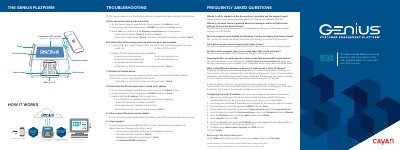
Cayan Genius Device Setup Guide
This document serves as a setup guide for the Cayan Genius device, a Customer Engagement Device (CED) used to process credit and debit card transactions. It details the physical installation of the communications module and utility cable, as well as the network configuration required to connect the device to a router or switch.
Covers: Getting Started · Powering the Genius Device · Connecting the Communications Module · Configuring Your POS · Testing a Transaction · Troubleshooting
Latest Cayan manuals
Cayan Genius Device Setup Guide
User Manual 8 pages · 760 KB · ENThis guide provides instructions for installing, configuring, and troubleshooting the Cayan Genius payment device for use with POS systems.
Which document do I need?
User Manual
Day-to-day operation, settings and troubleshooting. Start here if the product is already set up.
Questions answered in Cayan manuals
Who do I call for support on the Genius device?
Contact Cayan Support by calling 888.249.3220; we are available 24/7/365.
Can Genius display line items instead of the standard view?
Yes, the Genius device can display line items (SKU display) for certain POS providers.