
Key facts
- Manuals
- 2
- Languages
- EN
- Last added
- 2023-10-21
Featured Bullard manuals
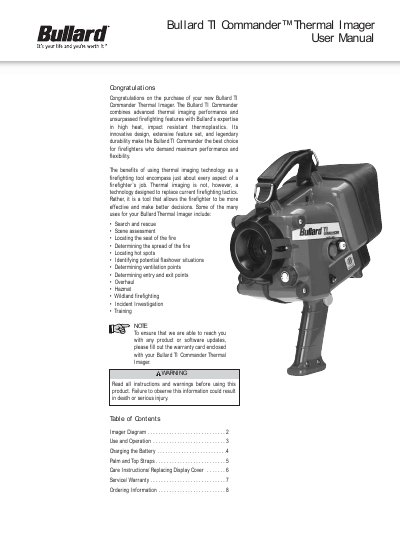
Bullard TI Commander Thermal Imager User Manual
This manual guides users through operating the Bullard TI Commander thermal imager, including powering on/off, sleep mode, and adjusting the Thermal Throttle for optimal image clarity. It also covers battery charging via direct charge or external charger, strap installation, and maintenance tips. The device is designed for firefighters and includes optional accessories like wireless transmission and digital image capture.
Covers: Imager Diagram · Use and Operation · Charging the Battery · Palm and Top Straps · Care Instructions/Replacing Display Cover · Service/Warranty
Bullard Automatic Rising Bollard Installation Manual
This manual provides instructions for installing Bullard automatic rising bollards. It details the components included, such as the control box with LED display and manual button, and outlines the installation diagram and steps. Key procedures include connecting the control box to the manual button, wiring the system, and filling the bollards with concrete after installation.
Covers: Components · Control Box Introduction · Installation Steps · Cautions · Troubleshooting · Wiring Diagram
Latest Bullard manuals
Bullard TI Commander Thermal Imager User Manual
User Manual 8 pages · 196 KB · ENUser manual for Bullard TI Commander thermal imager, covering operation, battery charging, accessories, and maintenance.
Bullard Automatic Rising Bollard Installation Manual
Installation Guide 21 pages · 3 MB · ENInstallation guide for Bullard automatic rising bollards, covering components, wiring, setup steps, and troubleshooting.
Which document do I need?
User Manual
Day-to-day operation, settings and troubleshooting. Start here if the product is already set up.
Installation Guide
Mounting, wiring and first power-up. Read it before the hardware goes in.
Questions answered in Bullard manuals
How do I turn on the Bullard TI Commander?
Depress the large red “On/Off” button for approximately one second until the light in the red button illuminates and remains on.
What is the Thermal Throttle and how do I adjust it?
The Thermal Throttle is a manual iris control that regulates the amount of energy reaching the thermal detector. Adjust it by turning the dial clockwise to close or counterclockwise to open.
How do you adjust the rising and dropping time on the control box?
After powered on, press the '▶' button to show the settings, input the time on the numerical keyboard, and press 'ENT' to save.
What should be done if the bollards are lowering automatically when rising?
Check the mechanism for low oil or damage, or check the pressure maintaining valve for rubber circle issues.