
Key facts
- Manuals
- 5
- Languages
- EN
- Last added
- 2023-10-19
Featured Biospace manuals
Biospace InBT-USB Bluetooth Dongle User's Manual
This manual provides instructions for using the InBT-USB Bluetooth dongle, designed to interface with InBody body composition analyzers. It covers driver installation for various operating systems, terminal program settings, and ASCII commands for configuration and device control. The dongle supports Bluetooth 2.1 + EDR with features like AFH to reduce interference with WiFi signals. Troubleshooting tips are included for connection issues and performance concerns.
Covers: Overview · Product Specifications · Usage of USB Type Bluetooth Dongle · Driver Support · Program Settings for OS imbedded board · ASCII Commands
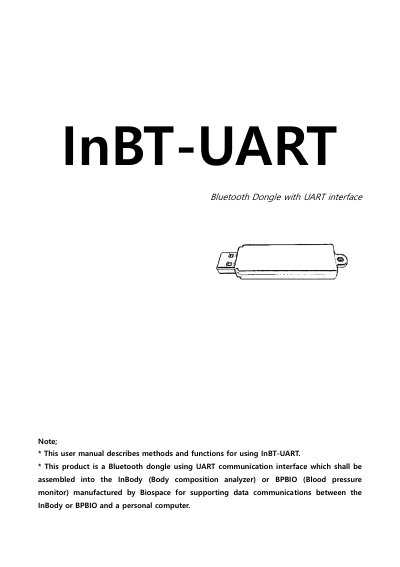
Biospace InBT-UART Bluetooth Dongle with UART Interface User Manual
This user manual describes the InBT-UART Bluetooth dongle, which enables UART-based communication between InBody and BPBIO devices and a personal computer. It supports Bluetooth 2.1 + EDR with features like adaptive frequency hopping to reduce interference with WiFi. The dongle requires a UART-enabled processor for operation and uses default settings of 115200 bps, 8 data bits, 1 stop bit, no parity, and no flow control. Commands like AT, SET, INQUIRY, CALL, and SET RESET are used to configure and control the device.
Covers: Overview · Product Specifications · Usage of Bluetooth Dongle with UART Interface · Hardware Pin Map · UART Settings · ASCII Control Commands
Biospace BS-RFID Reader User's Manual
The Biospace BS-RFID Reader is a short-range wireless device designed to tag user IDs, including name, date of birth, and gender, using RFID cards or coins. It operates at 13.560 MHz with a maximum read range of 50mm and connects via USB.
Covers: Summary · Specification · Registering User · Checking User's Measurement Data · FCC Information
Biospace InBody570 Body Composition Analyzer User's Manual
The Biospace InBody570 Body Composition Analyzer is a medical device designed for indoor use to measure body composition. This user's manual covers the installation process, including unpacking, leveling the unit, and connecting peripherals like printers and stadiometers. It also details the operating environment requirements, such as temperature and humidity ranges, to ensure accurate measurements.
Covers: InBody570 Installation · Product Components · Operating Environment · Installation Instructions · Connecting Printer and Stadiometer · Maintenance
Latest Biospace manuals
Biospace InBT-USB Bluetooth Dongle User's Manual
User Manual 10 pages · 441 KB · ENUser manual for Biospace InBT-USB Bluetooth dongle, detailing setup, driver installation, and command usage for data communication with InBody devices.
Biospace InBT-UART Bluetooth Dongle with UART Interface User Manual
User Manual 10 pages · 717 KB · ENUser manual for the InBT-UART Bluetooth dongle, designed for UART communication with InBody and BPBIO devices.
Biospace BS-RFID Reader User's Manual
User Manual 6 pages · 320 KB · ENThis manual covers the operation of the Biospace BS-RFID Reader, a USB-powered device for registering and reading user data from RFID tags.
Biospace InBody570 Body Composition Analyzer User's Manual
User Manual 24 pages · 9.3 MB · ENThis manual provides instructions for installing, operating, and maintaining the Biospace InBody570 Body Composition Analyzer, including safety precautions…
Biospace Lookin'Body120 User's Manual
User Manual 85 pages · 6.9 MB · ENThis manual provides installation, operation, and settings instructions for the Biospace Lookin'Body120 body composition analysis software.
Which document do I need?
User Manual
Day-to-day operation, settings and troubleshooting. Start here if the product is already set up.
Questions answered in Biospace manuals
What operating systems are supported for InBT-USB drivers?
Drivers are supported for Windows 98, ME, 2000, XP, Vista, 7, Server 2003, Server 2008, Mac OS 8/9, OS-X, and Linux 2.4 and greater.
How do I configure the terminal program for InBT-USB?
Set baud rate to 115200bps, data bits to 8, no parity, 1 stop bit, and disable HW flow control.
What is the default UART setting for InBT-UART?
The default UART settings are 115200 bps, 8 data bits, 1 stop bit, no parity, and no flow control.
From: Biospace InBT-UART Bluetooth Dongle with UART Interface User Manual
What Bluetooth version does InBT-UART support?
InBT-UART supports Bluetooth 2.1 + EDR, Class 1.
From: Biospace InBT-UART Bluetooth Dongle with UART Interface User Manual
What is the maximum read range of the BS-RFID Reader?
The maximum read range is 50mm.
How is the BS-RFID Reader powered?
It is powered by DC 5V via PC USB.