
Key facts
- Manuals
- 2
- Languages
- EN
- Last added
- 2026-11-11
Featured Anchor manuals
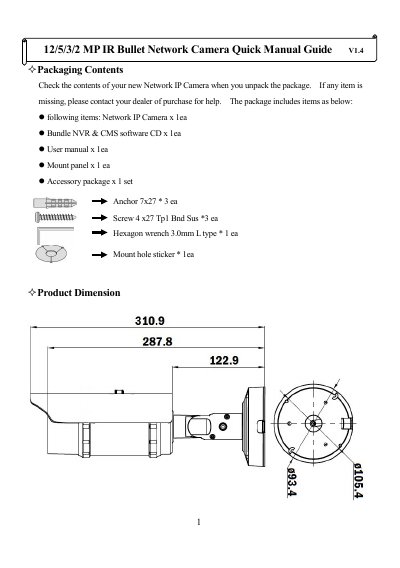
Anchor 12/5/3/2 MP IR Bullet Network IP Camera Quick Manual Guide
This is the Anchor Quick Manual Guide (V1.4) for the 12/5/3/2 MP IR Bullet Network IP Camera. It starts with a packaging contents check, then describes the camera parts — sunshield cover, IR LEDs, illumination sensor, video out, Micro SD card slot, reset button and mount panel — and the cables, including audio in/out, the waterproof RJ-45 connector, alarm inputs and output, reset and the DC12V power cable.
The guide then covers wall mount installation with the mount hole sticker and hexagon wrench, camera angle adjustment and lens focus/zoom adjustment, network deployment with and without PoE, finding and accessing the camera from IE, Chrome, Safari or Firefox, installing the plugin, viewing streams with RTSP players such as QuickTime, Real Player and VLC, and installing the bundled NVR software and setting camera parameters with ezSetup.
Covers: Packaging Contents · Product Parts Description · Cables · Wall Mount installation · Adjust camera angle from bracket mount · How to open the top cover and adjust the Lens
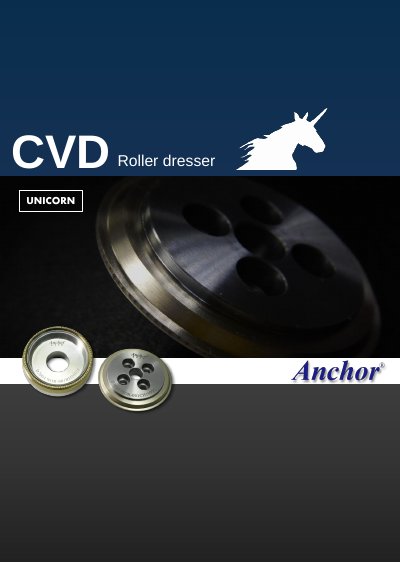
Anchor UNICORN-CVD Roller Dresser Product Leaflet
The Anchor UNICORN-CVD roller dresser is designed to dress oxide aluminum, silicon carbide, diamond, and CBN superabrasive precision grinding wheels. It is applicable in precision component grinding processes such as gears, linear guide ways, ball screws, and bearings.
The document provides specifications for the CVD roller dresser, noting that wheel sizes can be customized between 40 to 150 mm with tolerances of 5um for parallelism, verticality, and runout. It also outlines precautions for use, emphasizing the need for sufficient coolant and caution during operation to avoid impact.
Covers: APPLICATION · Grit · Wheel size · Tolerance · Shapes of CVD Roller dresser · Precautions for use
Latest Anchor manuals
Anchor 12/5/3/2 MP IR Bullet Network IP Camera Quick Manual Guide
Quick Start Guide 8 pages · 929 KB · ENAnchor quick manual guide for the 12/5/3/2 MP IR Bullet Network IP Camera: package contents, parts, wall mounting, network deployment, browser access and RTSP.
Anchor UNICORN-CVD Roller Dresser Product Leaflet
Product Leaflet 5 pages · 769 KB · ENThis document describes the Anchor UNICORN-CVD roller dresser for precision grinding wheels, detailing its applications, specifications, and usage precautions.
Which document do I need?
Quick Start Guide
The shortest path to a working setup, usually only a few pages.
Questions answered in Anchor manuals
What is the default IP address and login for the Anchor network IP camera?
The default IP address is 192.168.0.123 and the default user name / password is admin / 123456.
From: Anchor 12/5/3/2 MP IR Bullet Network IP Camera Quick Manual Guide
How do I reset the camera to default settings?
Press the reset button for 20 seconds and the camera parameters return to default.
From: Anchor 12/5/3/2 MP IR Bullet Network IP Camera Quick Manual Guide
What materials can the UNICORN-CVD roller dresser dress?
It is used to dress oxide aluminum and silicon carbide bonded, diamond and CBN superabrasive precision grinding wheels.
What are the precautions for using the roller dresser?
Users should be careful to avoid impact on wheels and must use sufficient coolant during the dressing process.