
Key facts
- Manuals
- 5
- Languages
- EN
- Last added
- 2026-10-13
Featured Allied Vision Technologies manuals
Allied Vision Technologies PvAPI Programmer's Reference Manual
This document serves as the programmer's reference for the Allied Vision Technologies GigE Vision driver and its Application Programming Interface (PvAPI). It details the driver stack, supported platforms, and programming languages, including specific instructions for driver installation and module initialization.
Covers: Introduction · Driver Installation · Using the API · Module Initialization · Camera Attributes · Image Acquisition and Capture
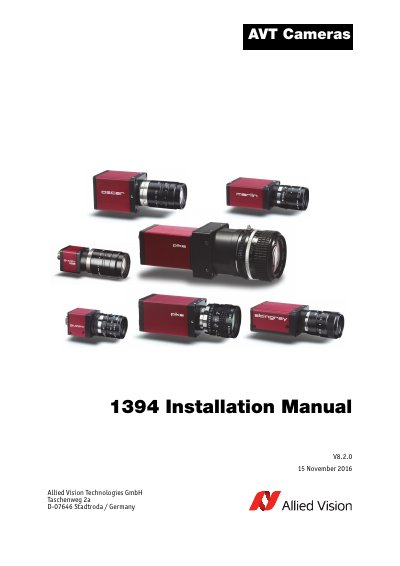
Allied Vision Technologies 1394 Camera Installation Guide
This document provides step-by-step instructions for installing Allied Vision Technologies' 1394 series cameras, including FireWire adapters, cable connections, and safety precautions. It covers various camera models such as Oscar, Marlin, Guppy, Pike, Stingray, and Guppy PRO, detailing I/O pin assignments and interface specifications. Safety guidelines for handling cameras and connectors are included, along with firmware update procedures and document revision history.
Covers: Connect with us · Introduction · Document history · Manual overview · Conventions used in this manual · Safety instructions
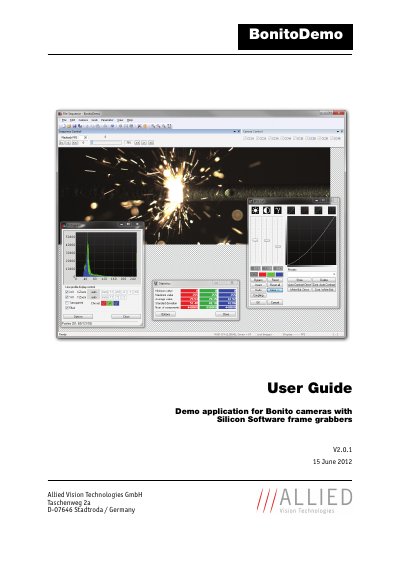
Allied Vision Technologies BonitoDemo User Guide
This manual describes the usage of the BonitoDemo application in combination with Bonito cameras and Silicon Software frame grabbers. It is designed for customers who want to become quickly acquainted with the Bonito camera and its features, particularly in fast mode where two high-speed frame grabbers are required. BonitoDemo allows synchronization of left and right half images and provides functions for saving sequences in different formats, as well as image pre-processing and analyzing functions like background correction and histogram analysis.
The document covers system requirements for the PC, camera, and frame grabber, installation steps for the software and Silicon Software Runtime, and detailed instructions on operating the graphical user interface. It includes sections on selecting camera models, operation modes, grabbing image sequences, image postprocessing, and saving or loading sequences.
Covers: Introduction · System requirements · Quick start · Operating BonitoDemo · Graphical user interface · Image postprocessing
Allied Vision Technologies 1394 Bus Driver User Guide
This user guide explains how to install and use the AVT 1394 Bus Driver, which replaces Microsoft's driver to support full IEEE 1394b standards including S800 data rates. It covers system requirements, installation methods, and compatibility with Windows 2000, XP, and Vista. The guide also addresses UAC settings and third-party software integration.
The driver supports OHCI-compliant host controllers and provides fault-tolerant, high-throughput operation. It includes tools for manual installation and automatic driver management, with rollback options for Microsoft drivers.
Covers: System requirements · Hardware requirements · Operating system requirements · Special advice when working with Windows Vista · Components overview · Installing the AVT 1394 Bus Driver
Latest Allied Vision Technologies manuals
Allied Vision Technologies PvAPI Programmer's Reference Manual
Programming Manual 65 pages · 815 KB · ENThis manual provides the programmer's reference for the Allied Vision Technologies PvAPI, covering driver installation, API usage, and function references…
Allied Vision Technologies 1394 Camera Installation Guide
Installation Guide 88 pages · 4.8 MB · ENInstallation guide for Allied Vision Technologies 1394 series cameras, covering hardware setup, safety, and pin assignments.
Allied Vision Technologies BonitoDemo User Guide
User Manual 64 pages · 3.2 MB · ENThis guide explains how to install and operate the BonitoDemo application for Bonito cameras and Silicon Software frame grabbers.
Allied Vision Technologies 1394 Bus Driver User Guide
User Manual 31 pages · 1.5 MB · ENUser guide for Allied Vision Technologies' 1394 Bus Driver, covering installation, compatibility, and usage with Windows systems.
Allied Vision Technologies FirePackage V3.2.0 User Guide
User Manual 34 pages · 1.1 MB · ENThis user guide covers the installation, system requirements, and usage of the AVT FirePackage SDK for developing applications with AVT FireWire cameras.
Which document do I need?
Programming Manual
Instruction set, parameters and examples for configuring or programming the device.
Installation Guide
Mounting, wiring and first power-up. Read it before the hardware goes in.
User Manual
Day-to-day operation, settings and troubleshooting. Start here if the product is already set up.
Questions answered in Allied Vision Technologies manuals
Which platforms are supported for using the PvAPI SDK?
The SDK supports Windows XP, Vista, and 7 (both 32-bit and 64-bit), Linux (x86, x64, arm), QNX 6.5, and macOS X.
From: Allied Vision Technologies PvAPI Programmer's Reference Manual
What is the purpose of the AVT GigE Filter Driver?
This optional Windows NDIS miniport driver increases camera streaming performance and reduces CPU overhead.
From: Allied Vision Technologies PvAPI Programmer's Reference Manual
Which Allied Vision cameras are covered by this installation manual?
This manual describes the hardware installation procedures for the Oscar, Marlin, Guppy, Pike, Stingray, and Guppy PRO cameras.
From: Allied Vision Technologies 1394 Camera Installation Guide
What specific safety precautions apply to changing filters on the Guppy camera?
The manual includes specific safety instructions for changing filters on the Guppy camera.
From: Allied Vision Technologies 1394 Camera Installation Guide
What are the system requirements for the PC?
The PC requires Microsoft Windows 7, a current Intel processor (dual core or more), an Intel X58 chipset or comparable PCIe performance, 2 GB RAM (4 GB recommended), and a Microsoft DirectX 7 compatible graphic card with 128 MB (256 MB recommended).
Which frame grabbers are supported by BonitoDemo?
BonitoDemo supports the Silicon Software frame grabber microEnable IV AD4-CL with firmware version 1.03 (hex) or newer and the microEnable IV VD4-CL with firmware version 1.28 (hex) or newer.