
Key facts
- Manuals
- 2
- Languages
- EN
- Last added
- 2023-10-15
Featured Afinia manuals
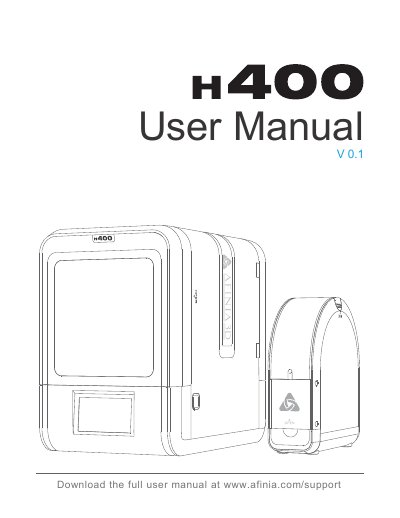
Afinia H400 3D Printer User Manual
The Afinia H400 3D Printer User Manual (Version 0.1) serves as a comprehensive guide for operating and maintaining the Afinia H400 3D printer. It begins with essential safety precautions regarding high temperatures and moving parts, followed by a detailed list of package contents including the printer, spool holder, power adapter, and tools.
The document outlines the steps to prepare for the first print, configure machine and print settings, and perform necessary calibrations. It also includes a troubleshooting section to help users resolve common issues and provides maintenance instructions for internal components like the motherboard, warning users to contact support before performing repairs.
Covers: Safety Precautions · Package Content · Product Description · Installation of Print Board · Machine Settings · Print Settings

Afinia H800+ 3D Printer User's Manual
This manual provides comprehensive instructions for the Afinia H800+ 3D Printer, designed for educators and professionals. It covers safety precautions, unpacking, and initial setup including driver installation and printer initialization. The guide details the use of the Studio software for sending print data via USB or wireless connection.
Covers: Safety Precautions · Unpacking the Printer · Driver and Software Installation · Installing the Printer · Loading the Filament Spool · Preparing the Platform
Latest Afinia manuals
Afinia H400 3D Printer User Manual
User Manual 56 pages · 4.2 MB · ENThis manual provides instructions for the Afinia H400 3D printer, covering safety, setup, machine settings, print settings, calibration, and troubleshooting.
Afinia H800+ 3D Printer User's Manual
User Manual 42 pages · 2.1 MB · ENUser guide for the Afinia H800+ 3D printer covering safety, installation, software setup, printing operations, and maintenance procedures.
Which document do I need?
User Manual
Day-to-day operation, settings and troubleshooting. Start here if the product is already set up.
Questions answered in Afinia manuals
What is the ideal working temperature for the Afinia H400?
The ideal working temperature is between 15°C and 30°C.
What is the recommended relative humidity for printing?
The recommended relative humidity is between 20% and 50%.
What is the recommended operating temperature for the printer?
The printer is designed to work properly at an ambient temperature of between 60°F and 85°F.
Can the printer be connected wirelessly?
Yes, the Studio software can send print data to the printer over a single USB cable or by wireless connection.