
Key facts
- Brand
- Umot
- Model
- UM243
- Category
- stepping motor
- Documents
- 2
- Languages
- ZH
- Last added
- 2023-10-30
Start here
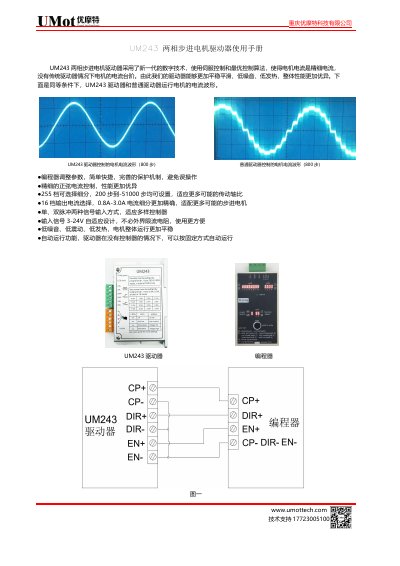
UMOT UM243 Two-Phase Stepper Motor Drive User Manual
UMOT UM243 is a two-phase stepper motor drive. The manual describes its features, including fine sine current control, 255 selectable subdivision levels from 200 to 51000 steps, 16 output current levels from 0.8 A to 3.0 A, single or dual pulse input, 3-24 V adaptive input signals, low noise, vibration and heat, and automatic run without a controller.
It also explains parameter setting with the programmer, including lock current percentage and lock time, EN port function, motor direction, built-in signal source up to 80 kHz at 50% duty, indicator LED states, wiring diagram and drive dimensions. This manual is written in Chinese.
UMOT UM243 specifications
| Subdivision settings | 255 selectable levels; 200 to 51000 steps |
|---|---|
| Output current | 0.8 A to 3.0 A in 16 levels |
| Input signal voltage | 3 V to 24 V adaptive |
| Built-in signal source frequency | up to 80 kHz |
| Built-in signal source duty cycle | 50% |
| Lock current (factory) | 50% |
| Lock time range | 0.1 s to 2 s |
| EN signal amplitude | 3 V to 24 V |
Source: UMOT UM243 Two-Phase Stepper Motor Drive User Manual
All UMOT UM243 documents by type
Day-to-day operation, settings and troubleshooting. Start here if the product is already set up.
Questions answered in these manuals
How do I set current and subdivision parameters?
Connect the drive and programmer, set swC to 00, set swA for steps and swB for current, then press start; success is indicated when the green LED flashes several times and the last flash is red.
What does the EN port do?
It controls whether the drive is enabled; with no wiring the drive runs normally, and a differential level of 1 stops the drive in a de-energized or locked state.
What does the green light flashing rapidly followed by a red light indicate?
It indicates that the parameter setting via the switches has been successfully completed.
What do the indicator lights signify?
The combination of green and red light states indicates the driver's status, such as normal operation, overcurrent protection, or software faults.