
Key facts
- Brand
- SURE-FI
- Model
- DS004
- Category
- Other Electronics
- Documents
- 2
- Languages
- EN
- Last added
- 2023-10-27
Start here
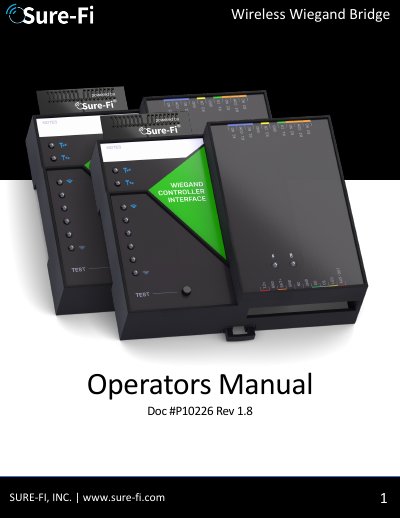
Sure-Fi DS004 Wireless Wiegand Bridge Operators Manual
The Sure-Fi DS004 Wiegand Bridge System consists of two units: the Controller Interface, Model DS004-CONTROLLER, and the Remote Interface, Model DS004-REMOTE. The system provides a wireless connection from a remote location, such as a door or gate entry point, to the controller location, such as an Access Control Panel.
Each DS004 Bridge System includes one Wiegand port, two relay outputs and two relay inputs per side, an auxiliary input/output, backup battery charging with UPS function, and DIN rail or direct wall mounting. The Sure-Fi APP for iOS/Android connects via Bluetooth for configuration, diagnostics, troubleshooting, and field firmware updates.
Sure-Fi DS004 specifications
| Operating Voltage | 12VDC (9VDC to 15VDC) |
|---|---|
| Operating Current | 0.08A idle, 0.3A transmit at 12VDC |
| Relay Outputs | Four relays: 2A 250VAC / 250VDC |
| Range | Up to 1 mile through obstructions |
| Encryption | AES128 |
| Operating Temperature | 40°F to +185°F (-40°C to +85°C) |
| Dimensions | 90mm x 107mm x 32.5mm |
| Transmit Power | 1 Watt (30dBm) |
Source: Sure-Fi DS004 Wireless Wiegand Bridge Operators Manual
All Sure-Fi DS004 documents by type
Day-to-day operation, settings and troubleshooting. Start here if the product is already set up.
Questions answered in these manuals
What is the operating voltage of the DS004 Wiegand Bridge?
It operates at 12VDC (9VDC to 15VDC).
From: Sure-Fi DS004 Wireless Wiegand Bridge Operators Manual
How far can the wireless bridge reach?
Up to 1 mile through obstructions and greater than 50 miles line-of-sight.
From: Sure-Fi DS004 Wireless Wiegand Bridge Operators Manual
What is the range of the Sure-Fi Wiegand Bridge?
The system offers a range of up to one mile through obstructions and greater than 50 miles line-of-sight.
How do I perform a range test?
Press and release the 'Test' push button quickly to initiate the Range Test, which displays results on the Signal Strength LEDs.