
Key facts
- Brand
- Robuster
- Model
- MR500
- Category
- Industrial Robot
- Documents
- 2
- Languages
- ZH
- Last added
- 2023-11-03
Start here
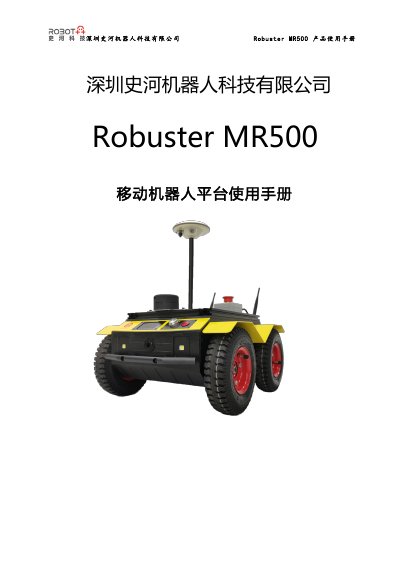
Robuster MR500 Mobile Robot Platform User Manual
Robuster MR500 is a modular, integrated, customizable mobile robot chassis for indoor and outdoor use, intended for robotics education, scientific research, and product development. It can carry sensors such as lidar, cameras, and GPS and accessories such as gimbals, robotic arms, and grippers, and supports SLAM navigation, obstacle avoidance, and secondary development with provided low-level drivers.
This manual describes the product's features, package contents, safety rules, specifications, hardware structure, control methods, transport and maintenance, common problems, and software upgrade and technical support. This manual is written in Chinese.
Robuster MR500 specifications
| Body material | Aluminum alloy |
|---|---|
| Overall dimensions (L×W×H) | 575×450×255 mm |
| Tire size | 8 inch (203 mm) |
| Drive method | Same side, same speed |
| Minimum ground clearance | 60 mm |
| Total weight | 25 kg |
| Rated load | 20 kg |
| Motor type | Servo motor |
| Motor rated power | 200 W × 2 |
| Motor encoder | 65536 lines |
| Motor drive | Integrated servo drive |
| Maximum climbing angle | 30° |
| Maximum obstacle height | 60 mm |
| Maximum travel speed | 1.6 m/s |
| Maximum rotation speed | 160°/s |
| Minimum turning radius | 0 |
| Terrain adaptability | All-terrain |
| Typical endurance | 3 h |
| Charging time | 3 h (standard) / 1.5 h (fast charge) |
| Onboard power output | 12 V/20 A, 24 V/20 A |
| Fuse rating | 32 A |
| Communications interfaces | USB ×1, Ethernet ×1, power socket ×1, HDMI ×1 |
| Expansion interfaces | CAN ×2, USB 2.0 ×4, Ethernet ×1 |
| Battery | 48 V 12 Ah |
| Input power | AC 220–240 V; charging current 5 A (standard), 10 A (fast charge) |
| Waterproof rating | IP67 |
| Industrial computer | CPU Intel i5 / 8 GB / 64 GB |
| Industrial computer OS | Ubuntu (Linux) with ROS Kinetic preinstalled |
All Robuster MR500 documents by type
Day-to-day operation, settings and troubleshooting. Start here if the product is already set up.
Questions answered in these manuals
What should I check if the display panel does not light after pressing the power button?
Check whether the relay sounds; if it does, the display panel is faulty; if not, check that the power switch is on, the emergency stop is reset, and the battery is charged.
Why can the joystick not control the robot after power-on?
The remote may not be connected successfully, or the remote's vehicle lock mode may not be unlocked.
What is the Robuster MR500-Z used for?
It is a mobile robot platform for indoor and outdoor use, suitable for robot education training, scientific research and product development.
What is the typical endurance and charging time?
Typical endurance is 3h. Charging time is 3h for standard charging and 1.5h for fast charging.