
Key facts
- Brand
- P&N Technology
- Model
- W1302
- Category
- Other Electronics
- Documents
- 2
- Languages
- ZH · EN
- Last added
- 2026-10-18
Start here
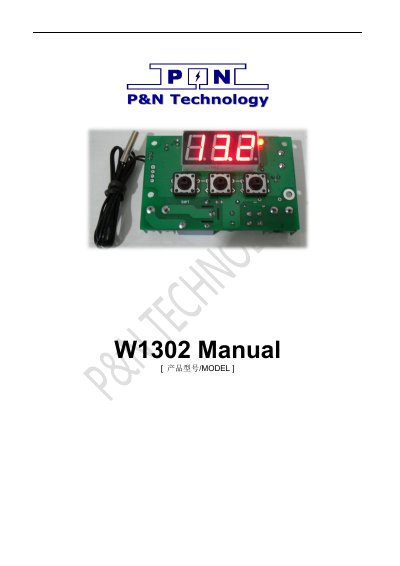
P&N Technology W1302 Temperature Control Panel User Manual
The W1302 from P&N Technology is a temperature control panel designed for a semiconductor cooler to adjust the environment temperature. It uses SMD construction, has a positive and negative element design for embedding into panels, and stores settings in flash memory with auto retention when power is off.
The manual covers technical specifications, electrical connection diagrams, cooling and heating functions, fault alarms, LED indicators, operation of the setting keys, parameter settings P0 through P8, and a setup checklist.
P&N Technology W1302 specifications
| Rated Voltage | DC 24V (12V) |
|---|---|
| Rated Current | 10 A |
| Temperature Measurement Range | -40 to 110 °C |
| Temperature Measurement Accuracy | ±0.1 °C |
| Hysteresis Range | 0.5 to 15 °C |
Source: P&N Technology W1302 Temperature Control Board User Manual
All P&N Technology W1302 documents by type
Day-to-day operation, settings and troubleshooting. Start here if the product is already set up.
Questions answered in these manuals
What is the default hysteresis setting?
The default hysteresis setting is 2°C.
From: P&N Technology W1302 Temperature Control Board User Manual
How do I enter the parameter settings menu?
Press and hold the <set> button for 5 seconds until 'P0' appears on the display.
From: P&N Technology W1302 Temperature Control Board User Manual
What is the rated voltage of the W1302?
The W1302 has a rated voltage of 24 VDC (12 VDC).
From: P&N Technology W1302 Temperature Control Panel User Manual
How do I enter parameter setting mode?
Press and hold the <set> key for 5 seconds until P0 appears on the numeral tube.
From: P&N Technology W1302 Temperature Control Panel User Manual