
Key facts
- Brand
- OLIGHT
- Model
- i3T
- Category
- lighting
- Industry
- Electronics
- Documents
- 2
- Languages
- ZH · EN
- Last added
- 2026-11-17
Start here
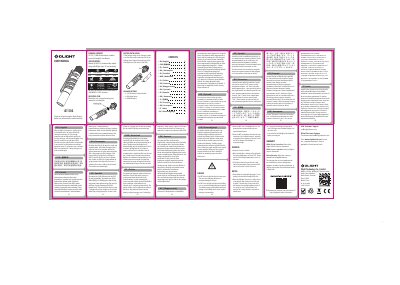
OLIGHT i3T Flashlight User Manual
This is the printed instruction leaflet that comes with the OLIGHT i3T flashlight. It gives the operating steps for the light: the lamp starts in low mode by default, a soft press gives momentary on, a deep press (with an audible click) gives constant on, and clicking on and off within 2 seconds after switch-off shifts between the low and high brightness levels. If the light is turned on more than 2 seconds after it was switched off, it returns to low mode as the default.
The leaflet also carries the DANGER, WARNING and NOTICE safety notes (do not shine the light into eyes, the surface can reach 50°C in high mode, unscrew the tail cap for storage or transport, insert the battery with the positive end toward the head) and the warranty terms: return to the original seller within 30 days of purchase, or to Olight within 5 years, with a one-year warranty on rechargeable batteries. The same instructions are repeated in many languages, including English, Español, Français, Deutsch, Italiano, Nederlands, Polski, Русский, 日本語 and 简体中文. This manual is written in Chinese.
OLIGHT i3T specifications
| Surface temperature in high mode | 50 °C |
|---|---|
| Light warranty period | 5 years from purchase |
| Rechargeable battery warranty | 1 year |
All OLIGHT i3T documents by type
Day-to-day operation, settings and troubleshooting. Start here if the product is already set up.
Questions answered in these manuals
How do I turn the OLIGHT i3T on constantly?
Deep press the switch until you hear a click; this gives constant on.
What mode does the i3T start in when switched on?
It starts in low mode as the default.
What batteries are compatible with this flashlight?
The flashlight is compatible with 1.5V AAA alkaline batteries, 10440 lithium batteries, and AAA NiMH batteries.
From: Olight i3T 2 EOS Slim Tail Switch Flashlight User Manual
How do I turn the light on momentarily?
Press the tail switch slightly to turn it on momentarily, and release it to turn it off.
From: Olight i3T 2 EOS Slim Tail Switch Flashlight User Manual