
Key facts
- Brand
- Midland
- Model
- WR-301
- Documents
- 2
- Languages
- EN
- Last added
- 2012-07-02
Start here
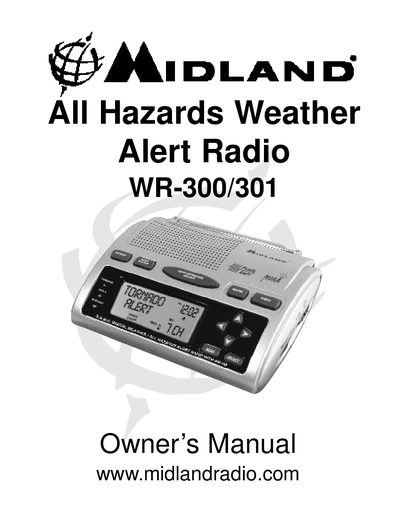
Midland WR-300/301 All Hazards Weather Radio Owner's Manual
The Midland WR-300/301 is an All Hazards Weather Radio designed to receive 24/7 broadcasts from the National Weather Service. It features an automatic alert system that activates with a loud tone and flashing LED for severe weather warnings, including tornadoes, hurricanes, and floods. The device also includes S.A.M.E. Digital Weather/Hazard Alert technology to filter alerts based on specific county codes.
Read onlineMidland WR-301 specifications
| Battery Type | 4 AA batteries |
|---|---|
| Power Source | AC adapter or batteries |
| Alert Features | Loud tone, flashing LED indicator, alert message |
Source: Midland WR-300/301 All Hazards Weather Radio Owner's Manual
All Midland WR-301 documents by type
Day-to-day operation, settings and troubleshooting. Start here if the product is already set up.
Questions answered in these manuals
How do I get S.A.M.E. County Codes?
You can call the National Weather Service toll-free number 1-888-697-7263 or visit www.nws.noaa.gov/nwr/indexnw.htm.
From: Midland WR-300/301 All Hazards Weather Radio Owner's Manual
Can I program multiple county codes?
Yes, the radio can be programmed with up to 23 different S.A.M.E. codes for your county and surrounding counties.
From: Midland WR-300/301 All Hazards Weather Radio Owner's Manual
How do I get S.A.M.E. County Codes?
You can call 1-888-697-7263 or visit www.nws.noaa.gov/nwr/indexnw.htm to find the codes for your county.
From: Midland WR-300/301 All Hazards Weather Radio Owner's Manual
How do I turn on the LCD backlight?
Press and release any button to turn the backlight on for 5 seconds, or use the MENU button for continuous backlight.
From: Midland WR-300/301 All Hazards Weather Radio Owner's Manual