
Key facts
- Brand
- KanonTec
- Model
- KAC00X
- Industry
- Appliances
- Documents
- 2
- Languages
- ZH
- Last added
- 2026-10-25
Start here
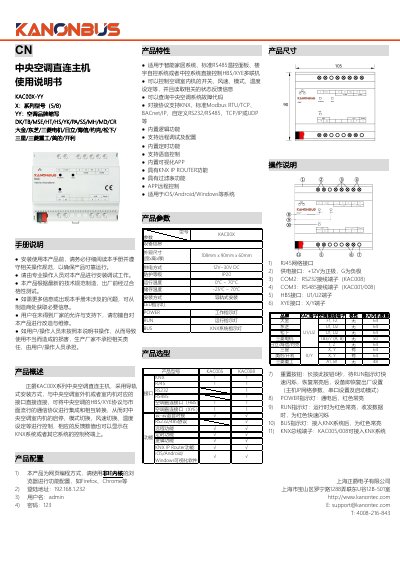
Kanontec KAC00X Series Central Air Conditioning Direct Connection Host User Manual
The Kanontec KAC00X series Central Air Conditioning Direct Connection Host is designed for rail mounting. It integrates and converts HBS/XYE protocols from central air conditioners with popular communication protocols like KNX, Modbus, BACnet, etc., allowing control of indoor unit operations such as start/stop, mode switching, fan speed, and temperature settings. This manual is written in Chinese.
Read onlineKanontec KAC00X specifications
| Dimensions (WxHxD) | 108mm x 90mm x 60mm |
|---|---|
| Power Supply | 12V~30V DC |
| Protection Rating | IP20 |
| Operating Temperature | 0℃ ~ 70°C |
| Storage Temperature | -25℃ ~ 70℃ |
Source: Kanontec KAC00X Series Central Air Conditioning Direct Connection Host User Manual
All Kanontec KAC00X documents by type
Day-to-day operation, settings and troubleshooting. Start here if the product is already set up.
Questions answered in these manuals
What is the default login IP address?
The default login address for configuration is 192.168.1.232.
From: Kanontec KAC00X Series Central Air Conditioning Direct Connection Host User Manual
How do I restore factory settings?
Press and hold the reset button for 6 seconds until the RUN indicator flashes rapidly, then becomes steady.
From: Kanontec KAC00X Series Central Air Conditioning Direct Connection Host User Manual
How do I reset the device to factory settings?
Long press the reset button for 6 seconds until the RUN indicator flashes rapidly and then stays lit.
From: Kanontec KAC00X Series Central Air Conditioning Direct-Connected Host User Manual
Which communication protocols does the KAC00X support?
It supports KNX, Modbus RTU/TCP, BACnet/IP, custom RS232/RS485, TCP/IP, and UDP.
From: Kanontec KAC00X Series Central Air Conditioning Direct-Connected Host User Manual