
Key facts
- Brand
- Fender
- Model
- Mustang I/II (V.2)
- Category
- audio amplifier
- Industry
- Electronics
- Documents
- 2
- Languages
- EN
- Last added
- 2026-11-06
Start here
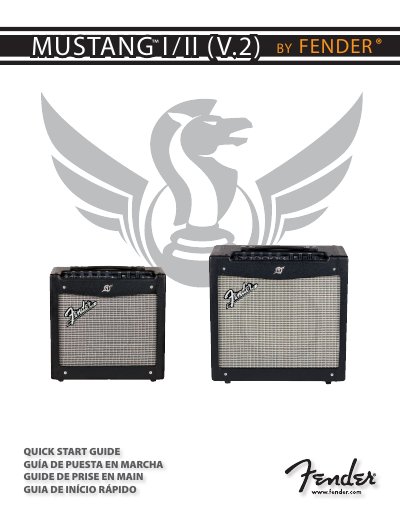
Fender Mustang I/II (V.2) Guitar Amplifier Quick Start Guide
The Fender Mustang I/II (V.2) Quick Start Guide explains how to set up the Mustang I and Mustang II guitar amplifiers: plug in the power cord, plug a guitar into the INPUT jack, press the POWER switch and adjust the MASTER volume. It then describes preset selection, modulation, delay and reverb effects, and programmable knob behavior.
The guide includes effect selection tables and a specifications table for both models, covering type and part numbers, power requirements, power output, speaker size, input impedance, optional footswitch, dimensions and weight. It also gives a Fender product registration web address.
Fender Mustang I/II (V.2) specifications
| Model and type numbers | Mustang I (V.2): PR824; Mustang II (V.2): PR825 |
|---|---|
| Power requirements | 70W (Mustang I); 110W (Mustang II) |
| Power output (Mustang I) | 20W RMS into 8Ω @ 5% THD |
| Power output (Mustang II) | 40W RMS into 8Ω @ 5% THD |
| Input impedance | Guitar >1MΩ; Aux >13kΩ |
| Optional footswitch | P/N 099-4049-000; lets you save two Quick Access presets |
| Weight | 17 lb (7.7 kg) Mustang I; 24 lb (10.9 kg) Mustang II |
Source: Fender Mustang I/II (V.2) Guitar Amplifier Quick Start Guide
All Fender Mustang I/II (V.2) documents by type
The shortest path to a working setup, usually only a few pages.
Day-to-day operation, settings and troubleshooting. Start here if the product is already set up.
Questions answered in these manuals
How do I set up a Mustang I/II (V.2) amplifier?
Plug in the power cord, plug your guitar into the INPUT jack, press POWER to turn the amplifier on, then adjust the MASTER volume.
From: Fender Mustang I/II (V.2) Guitar Amplifier Quick Start Guide
How many presets are available?
The amplifier has 24 presets stored in three banks: amber, green and red.
From: Fender Mustang I/II (V.2) Guitar Amplifier Quick Start Guide
How do I activate a programmable knob?
The moment you turn any programmable knob it instantly becomes active and it will remain active until you select a different preset.
What happens if I press the EXIT button while saving?
The EXIT button will not cancel changes to the current preset; only selecting a different preset using the PRESET knob will erase temporary changes.