
Key facts
- Brand
- ExtremeWireless
- Model
- AP310i/e
- Industry
- Electronics
- Documents
- 2
- Languages
- EN · ZH
- Last added
- 2026-11-23
Start here
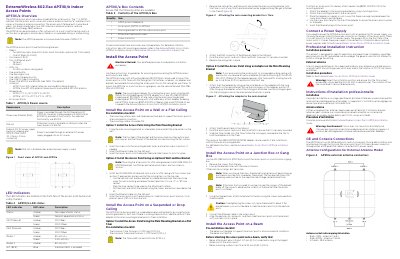
ExtremeWireless AP310i/e Indoor Access Point User Manual
This manual provides step-by-step instructions for installing and configuring the ExtremeWireless AP310i/e indoor 802.11ax access point. It covers mounting options including walls, ceilings, junction boxes, and beams, along with power connections via PoE or external DC. The document details antenna configurations, LED indicators, and safety precautions for professional installation.
The AP310i/e features dual-band radios, Bluetooth Low Energy support, and can be mounted using included brackets or optional adapters. It supports PoE 802.3at and 802.3bt, with temperature ranges from -20°C to +55°C for the e model and 0°C to +50°C for the i model.
ExtremeWireless AP310i/e specifications
| Radios | Two 802.11ax radios (one 2X2 2.4GHz and 5 GHz radio, and one 2X2 5 GHz radio) and one IoT Radio (2.4 GHz) |
|---|---|
| Power | PoE 802.3at and 802.3bt (with 802.3af for reduced functionality) |
| Temperature Range - AP310i | 0°C to +50°C (32°F to +122°F) |
| Antennas - AP310i | Four WiFi internal antennas and one BLE internal antenna |
| Antennas - AP310e | Four RP-SMA external antenna ports and one BLE RP-SMA antenna |
Source: ExtremeWireless AP310i/e Indoor Access Point User Manual
All ExtremeWireless AP310i/e documents by type
Day-to-day operation, settings and troubleshooting. Start here if the product is already set up.
Questions answered in these manuals
How do I mount the AP310i/e on a wall or flat ceiling?
Use the main mounting bracket to mark and drill holes, insert screws, plug in the Ethernet cable, and slide the access point onto the bracket to lock it in place.
From: ExtremeWireless AP310i/e Indoor Access Point User Manual
What antennas does the AP310i/e support?
The AP310i/e supports internal antennas (AP310i) or external RP-SMA antennas (AP310e), with one BLE antenna in both models.
From: ExtremeWireless AP310i/e Indoor Access Point User Manual
What is the difference between the AP310i and AP310e?
The AP310i has internal antennas, while the AP310e has external antenna connectors.
From: ExtremeWireless AP310i/e Indoor Access Point User Manual
Who is qualified to install this device?
Installation must be performed by qualified personnel with knowledge of RF and related rules.
From: ExtremeWireless AP310i/e Indoor Access Point User Manual