
Key facts
- Brand
- EcoFlow
- Model
- RIVER 2
- Category
- Other Electronics
- Industry
- Electronics
- Documents
- 2
- Languages
- EN
- Last added
- 2026-11-06
Start here
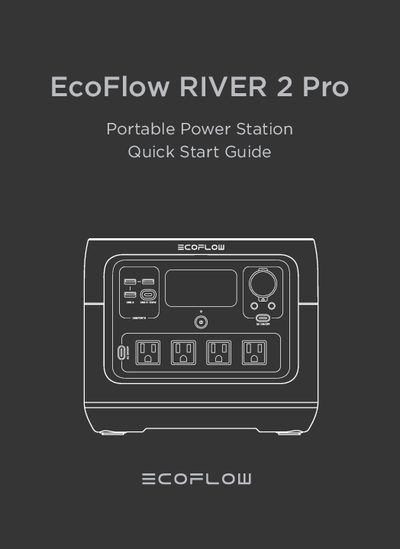
EcoFlow RIVER 2 Pro Portable Power Station Quick Start Guide
This document serves as a quick start guide for the EcoFlow RIVER 2 Pro portable power station. It provides essential instructions on how to turn the device on and off, utilize various output ports including USB, 12V DC, and AC sockets, and connect to the EcoFlow App via Bluetooth or Wi-Fi for remote control. The guide also details the different charging methods available, such as AC, USB-C, solar, and car charging, along with their respective full charge times and maximum power inputs.
Read onlineEcoFlow RIVER 2 specifications
| Model | EFR600 |
|---|---|
| Weight | Approximately 3.5kg (7.8lbs) |
| Dimensions | 245 x 215 x 145mm (9.6 x 8.5 x 5.7inches) |
| Capacity | 256Wh (20Ah 12.8V ) |
| AC Input | 220V-240V~50Hz/60Hz, 8A Max |
| Solar Charging Input | 11-30V 8A, 110W Max |
| USB-C Input | 5/9/12/15/20V 3A, 60W Max |
| DC Output | 12.6V 8A, 100W Max |
| AC Output | Pure sine wave, 300W total (600W peak), 230V ~50Hz /60Hz |
| Battery Cell Material | LFP battery |
| Cycle Life | 80%+ capacity after 3000 cycles |
All EcoFlow RIVER 2 documents by type
Day-to-day operation, settings and troubleshooting. Start here if the product is already set up.
The shortest path to a working setup, usually only a few pages.
Questions answered in these manuals
How do I turn on the EcoFlow RIVER 2?
Press the main power button once. The LCD screen lights up and the main power indicator flashes white.
What is the cycle life of the RIVER 2 battery?
The manual states 80%+ capacity after 3000 cycles.
What battery does the product use?
It uses high-quality lithium-ion battery.
From: EcoFlow RIVER 2 Pro Portable Power Station Quick Start Guide
What devices can the product's AC output port power?
With 800W rated power and 1600W peak power, most consumer electronics.
From: EcoFlow RIVER 2 Pro Portable Power Station Quick Start Guide