
Key facts
- Brand
- CarProg
- Model
- S4.4
- Industry
- Electronics
- Documents
- 2
- Languages
- ZH · EN
- Last added
- 2026-11-09
Start here
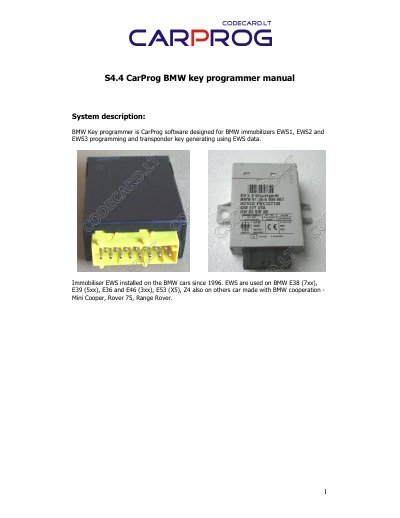
CarProg S4.4 BMW Key Programmer User Manual
This manual details how to use the CarProg S4.4 programmer to program and modify BMW EWS1, EWS2, EWS3, and EWS3+ immobilizer systems. It covers reading and writing EWS data, adding new keys, restoring lost keys, changing EWS settings including VIN and mileage, and troubleshooting common issues like ELMOS circuit failures. The device works with empty PCF7935 transponders and original BMW keys using specific adapters and connection methods.
The manual includes step-by-step instructions for connecting to different EWS versions (EWS2 old, EWS2, EWS3) using adapters A10 and A11, and explains how to handle specific hardware issues such as processor mask 2D47J erasure or ELMOS overheating. It also provides guidance on key validation, deletion, and advanced settings modification with warnings for inexperienced users. This manual is written in Chinese.
CarProg S4.4 specifications
| Supported immobilizer systems | EWS1, EWS2, EWS3, EWS3+ |
|---|---|
| Transponder type | Empty PCF7935 |
| EWS connection adapter | A10 adapter |
| Key programming antenna adapter | A3 |
All CarProg S4.4 documents by type
Day-to-day operation, settings and troubleshooting. Start here if the product is already set up.
Questions answered in these manuals
What does the CarProg S4.4 BMW Key Programmer do?
It is CarProg software designed for BMW immobilizers EWS1, EWS2 and EWS3 programming and transponder key generating using EWS data.
Which adapter is used to connect CarProg to EWS2 and EWS3 immobilizers?
Use the A10 adapter to connect the immobiliser to CarProg.
Which BMW immobilizer systems does CarProg support?
It supports EWS1, EWS2, EWS3, and EWS3+ immobilizers.
What transponder should be used for key programming?
Use an empty PCF7935 transponder in the CarProg antenna adapter A3.