
Key facts
- Brand
- Brainchild
- Model
- L91
- Category
- Industrial Robot
- Documents
- 2
- Languages
- EN
- Last added
- 2023-10-21
Start here
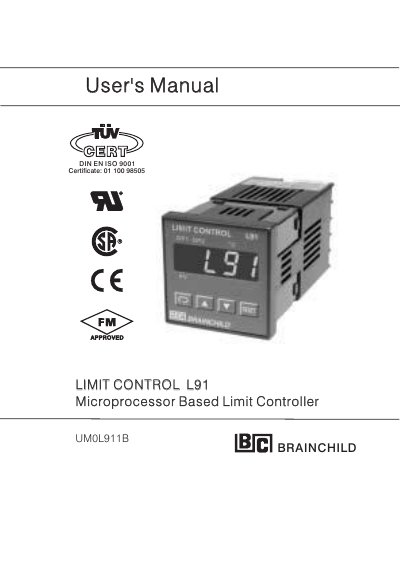
Brainchild L91 Microprocessor Based Limit Controller User's Manual
This user manual provides detailed instructions for installing, programming, and applying the Brainchild L91 Microprocessor Based Limit Controller. It covers wiring, sensor installation, programming via front panel or RS-485, and calibration. The L91 is designed for over-temperature or high/low limit protection with latching outputs and supports various input types including thermocouples, RTDs, and voltage/current signals. It features an 18-bit A/D converter for fast sampling and can be integrated into supervisory control systems via RS-485.
Read onlineBrainchild L91 specifications
| Power Input | 90-264 VAC, 50/60 Hz or 11-26 VAC/VDC |
|---|---|
| A/D Converter | 18-bit, 5 times/second sampling rate |
| Output Options | Form C relay, SSR drive, triac, DC power supply, limit annunciator, RS-485 |
Source: Brainchild L91 Microprocessor Based Limit Controller User's Manual
All Brainchild L91 documents by type
Day-to-day operation, settings and troubleshooting. Start here if the product is already set up.
Questions answered in these manuals
What is the power supply range for the L91 controller?
The L91 controller accepts 90-264 VAC, 50/60 Hz or 11-26 VAC/VDC.
From: Brainchild L91 Microprocessor Based Limit Controller User's Manual
How can the L91 be programmed?
The L91 can be programmed using the front panel keys, or via RS-485 using a PC and configuration software.
From: Brainchild L91 Microprocessor Based Limit Controller User's Manual
What software version is this manual applicable for?
This manual is applicable for products with software version 17 and later versions.
From: Brainchild L91 Microprocessor Based Limit Controller User's Manual
How do you enter the calibration mode?
Press the RESET key for 8 seconds to enter the calibration mode.
From: Brainchild L91 Microprocessor Based Limit Controller User's Manual