
Key facts
- Brand
- Band-it
- Model
- T30069
- Category
- Industrial Supply
- Documents
- 2
- Languages
- EN
- Last added
- 2023-10-28
Start here
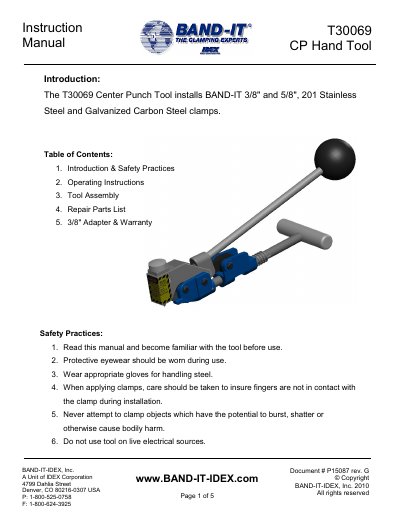
BAND-IT T30069 Center Punch Tool Instruction Manual
The BAND-IT T30069 Center Punch Tool installs BAND-IT 3/8" and 5/8" clamps made of 201 Stainless Steel or Galvanized Carbon Steel. Safety practices include wearing protective eyewear and gloves, keeping fingers off clamps during installation, and avoiding use on live electrical sources.
Operating instructions explain how to load, tighten, lock, and remove clamps using the tension handle and a mallet. The manual also covers punch assembly, a repair parts list for the T300 series, installation of the optional 3/8" adapter, and warranty information.
BAND-IT T30069 specifications
| Compatible clamp sizes | 3/8" and 5/8" |
|---|---|
| Clamp materials | 201 Stainless Steel and Galvanized Carbon Steel |
| Adapter kit for 3/8" clamps | S03289 |
| Locking mallet weight | 2 lb. |
All BAND-IT T30069 documents by type
Day-to-day operation, settings and troubleshooting. Start here if the product is already set up.
Questions answered in these manuals
What clamps does the BAND-IT T30069 install?
It installs BAND-IT 3/8" and 5/8" clamps made of 201 Stainless Steel or Galvanized Carbon Steel.
What safety gear is required when using the tool?
Wear protective eyewear during use and appropriate gloves for handling steel.
What clamps are compatible with the BAND-IT T30069 Center Punch Tool?
The tool is designed to install BAND-IT 3/8" and 5/8", 201 Stainless Steel and Galvanized Carbon Steel clamps.
How do you lock the clamp using the T30069 tool?
Hold the tension handle down and hit the punch at least twice with a 2 lb. mallet.