
Key facts
- Brand
- Arctic
- Model
- P311
- Documents
- 2
- Languages
- EN
- Last added
- 2023-10-21
Start here
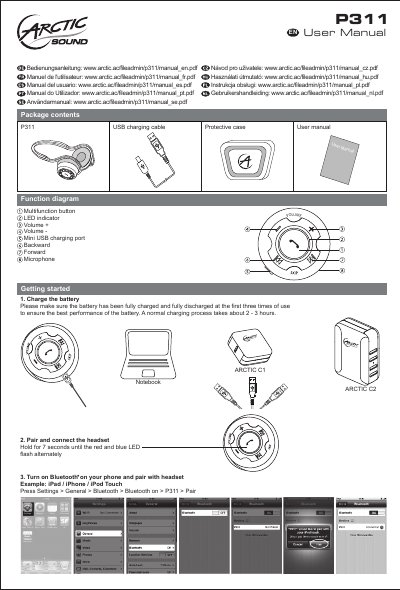
ARCTIC P311 Headset User Manual
This manual explains how to charge, pair, and use the ARCTIC P311 Bluetooth headset with mobile devices and computers. It includes instructions for connecting via Bluetooth, adjusting volume, controlling music, making and receiving calls, and using voice dialing. Safety and warranty information is also provided.
The headset features LED indicators for status, a multifunction button for controls, and supports AVRCP for music playback on compatible devices. It includes a 2-year limited warranty and is designed for hands-free calling and audio use.
All ARCTIC P311 documents by type
Day-to-day operation, settings and troubleshooting. Start here if the product is already set up.
Questions answered in these manuals
How do I turn the headset on or off?
Hold the multifunction button for 3 seconds until the blue LED switches on to turn it on, or until the red LED switches on to turn it off.
What does the LED indicator mean when the red LED flashes every 30 seconds?
It indicates the battery is low and needs charging.
How do I activate pairing mode on the headset?
Hold the multifunction button for 7 seconds until the red and blue LED flash alternately.
How long does it take to charge the battery?
A normal charging process takes about 2 - 3 hours.