
Key facts
Start here
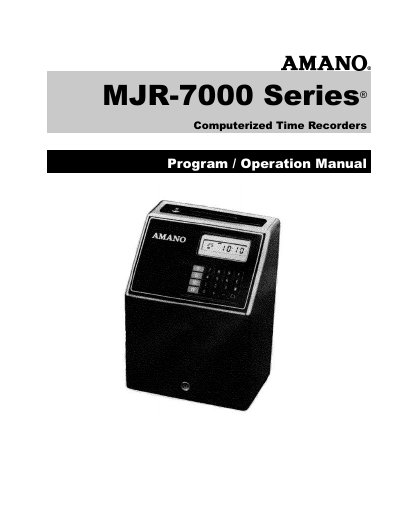
Amano Cincinnati MJR-7000 Series Computerized Time Recorder Program Operation Manual
This document serves as the Program and Operation Manual for the Amano Cincinnati MJR-7000 Series Computerized Time Recorder. It details the setup, programming, and daily usage of the device for tracking employee attendance and calculating hours.
The guide covers essential topics including the location of parts, initial preparation, and time setting procedures. It also explains how to program calendar data, basic functions, optional signal programming, and work schedules. Additionally, it provides instructions for printing reports, correcting individual data, and replacing the ribbon cartridge.
Amano MJR-7000 specifications
| Power Supply | AC 120/220/240V+10% |
|---|---|
| Operating Temperature | -10°C ~ 40°C (14°F ~ 104°F) |
| Humidity | 20% ~ 90% (No water condensation) |
| Dimensions | 340 mm (13-1/2")H x 240 mm (9-1/2"}W x 200 mm (8")D |
| Weight | 8.5 kg (19 Ibs) |
Source: Amano Cincinnati MJR-7000 Series Computerized Time Recorder Program Operation Manual
All Amano MJR-7000 documents by type
Day-to-day operation, settings and troubleshooting. Start here if the product is already set up.
Questions answered in these manuals
What time format must be used for programming?
All time data must be entered in military time (0—23 hours).
From: Amano Cincinnati MJR-7000 Series Computerized Time Recorder Program Operation Manual
Can the device be wall mounted?
Yes, the device may either be table top or wall mounted.
From: Amano Cincinnati MJR-7000 Series Computerized Time Recorder Program Operation Manual
What is the function of the key switch?
It has two positions: 'NORMAL' mode for IN/OUT punch and 'FUNCTION' mode for programming and data correction.
From: Amano MJR-7000 Computerized Time Recorder Program/Operation Manual
How do I replace the ribbon cartridge?
Remove the thumb screw, lift the keyboard panel, rotate the gear to move the cartridge, remove the old one, insert the new one, and lower the front portion.
From: Amano MJR-7000 Computerized Time Recorder Program/Operation Manual