
This manual provides operating instructions for the ZhiQWL ZQWL-RCAN-1C311 RS232/485 to CAN converter, covering hardware setup, configuration software…
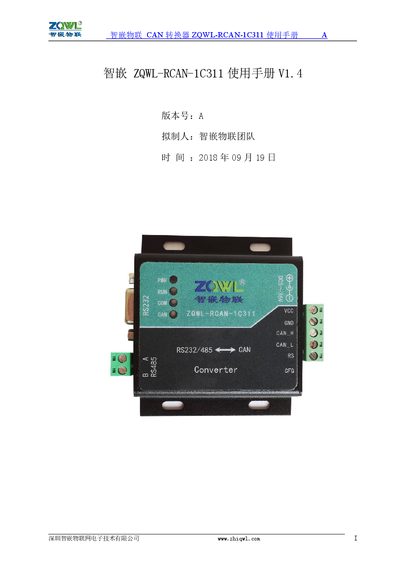
The ZhiQWL ZQWL-RCAN-1C311 is a high-performance module that converts data between RS232 or RS485 serial interfaces and the CAN bus. It supports various communication protocols including Modbus RTU and offers features like static protection, surge protection, and offline detection for industrial environments ranging from -40 to 85°C.
The document details how to prepare hardware for testing, configure parameters using the ZhiQWL Serial Server Configuration Software, and set up conversion modes such as transparent transfer or Modbus protocol conversion. It also explains specific settings for CAN identifiers, baud rates, and filter configurations. This manual is written in Chinese.
| Power Supply | DC 5~36V |
|---|---|
| Operating Temperature | -40 to 85°C |
| Storage Temperature | -65 to 165°C |
| RS232/485 Baud Rate | 1200~460800 bps |
| CAN Baud Rate | 10kbps to 1000kbps |
| Buffer Capacity | 1000 frames |
Press and hold the 'CFG' button for 5 seconds until the three green indicator lights flash synchronously, then release.
The default serial port parameter is 115200, 8, N, 1.
Yes, it supports converting standard Modbus RTU serial data to specific CAN data formats.