
Yoswit YO813c Smart Cooker Switch user manual with installation, wiring, safety, app use, and technical specifications.
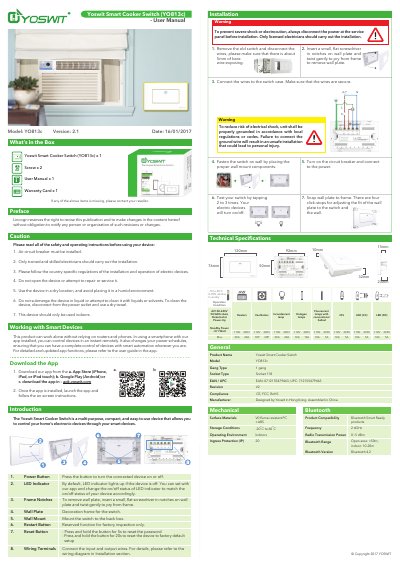
Yoswit YO813c Smart Cooker Switch is a multi-purpose, compact switch for controlling home electronic devices through smart devices. It can work alone without relying on routers or phones, and a smartphone with the Yoswit app installed can control devices remotely and change power schedules.
The manual covers package contents, installation and wiring steps, safety precautions, app download and use, product compatibility, and technical specifications including electrical ratings, Bluetooth, and environmental limits.
| Model | YO813c |
|---|---|
| Operating temperature | -10 to 40°C |
| Relative humidity | 0-90% |
| Input voltage and frequency | AC100-240V, 50/60Hz, auto-detected at power-up |
| Incandescent lamp load | 110V/220V: 20A |
| Halogen lamp load | 110V/220V: 10A |
| LED (CC) load | 110V/220V: 10A/5A |
| LED (RC) load | 110V/220V: 10A/5A |
| Ventilator load | 110V/220V: 1HP/2HP |
| Heater load | 110V/220V: 20A |
| Standby power | <0.1 W |
| Bluetooth version | 4.2 |
| Radio transmission power | 0~5 dBm |
| Bluetooth range | Open area >50 m; indoor 10-20 m |
| Ingress protection | IP20 |
| Surface material | V0 flame-resistant PC + ABS |
| Storage temperature | -20 to 60°C indoors |
| Gang type | 1 gang |
| Socket type | 118 |
| Revision | V2 |
| Compliance | CE, FCC, RoHS |
| Manufacturer | Designed by Yoswit in Hong Kong; assembled in China |
| EAN | 0712155479463 |
| UPC | 712155479463 |
Press and hold the button for 5 seconds.
Press and hold the button for 20 seconds.
Tap the switch two to three times.
By default, the LED indicator lights up when the device is off.