
The XLSEMI XL8002 Demo Board User Manual provides schematic, component list, performance data, and PCB layout guidelines for the buck DC‑DC converter demo…
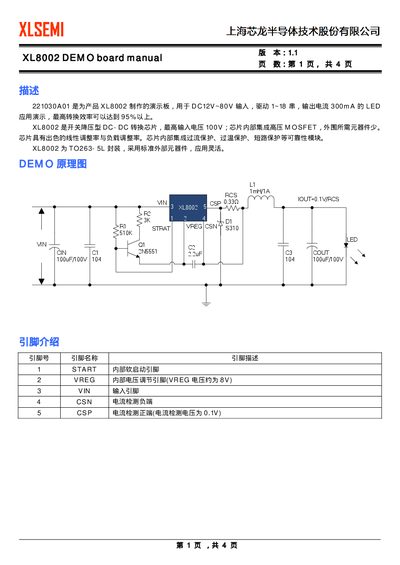
The XL8002 demo board demonstrates the XL8002 switching buck DC‑DC converter, supporting a DC input of 12 V to 80 V and driving 1‑18 LED strings with a 300 mA output current. The board achieves conversion efficiencies above 95 % and uses a TO263‑5L package with an integrated high‑voltage MOSFET.
The manual includes a schematic diagram, pin descriptions, a bill of materials, performance graphs, photos of the assembled board, and detailed PCB layout and routing recommendations to ensure proper operation and optimal efficiency.
| Input voltage range | 12 V–80 V |
|---|---|
| Maximum input voltage | 100 V |
| Supported LED strings | 1–18 |
| Output current | 300 mA |
| Conversion efficiency | >95 % |
| Package | TO263‑5L |
| Integrated MOSFET | High‑voltage MOSFET |
| Protection features | Over‑current, over‑temperature, short‑circuit |
| VREG voltage | ≈8 V |
The demo board operates with a DC input voltage from 12 V up to 80 V.
It can drive 1 to 18 LED strings with a maximum output current of 300 mA.
The board achieves a conversion efficiency of over 95 %.
The chip includes over‑current, over‑temperature, and short‑circuit protection.