
The XJC F600 manual explains installation, wiring, operation, parameter settings, calibration and communication for the force measurement module.
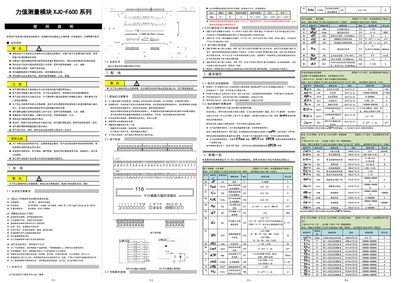
This manual provides safety guidelines and environmental requirements for the XJC‑F600 force measurement module, including temperature limits of –10 °C to 50 °C and humidity of 35 %–85 %RH. It also describes the recommended 35 mm rail mounting and the need for proper ventilation and surge protection.
Detailed sections cover installation steps, wiring diagrams, basic operation via the front panel and configuration software, parameter configuration, calibration procedures, and communication interfaces (RS‑485, RS‑232, Modbus‑RTU or TC‑ASCII). The document includes troubleshooting tips and parameter backup/restore instructions. This manual is written in Chinese.
| Operating temperature | -10 °C to 50 °C |
|---|---|
| Operating humidity | 35 %–85 % RH |
| Mounting method | 35 mm rail or fixed‑hole |
| Measurement speed options | 10, 40, 75, 120, 200 samples/s |
| Number of channels | 8 or 16 |
| Communication address range | 1–255 (default 1) |
| Supported baud rates | 2400–4000000 bps (0‑14) |
When powered on, the instrument uses Modbus/RTU, 19200 bps, even parity, 1 stop bit and address 1.
The device can be configured for either 8 or 16 measurement channels.