
WEMAX W-E-68 fingerprint time clock with no software needed, direct Excel export, automatic reporting, and fingerprint or password access.
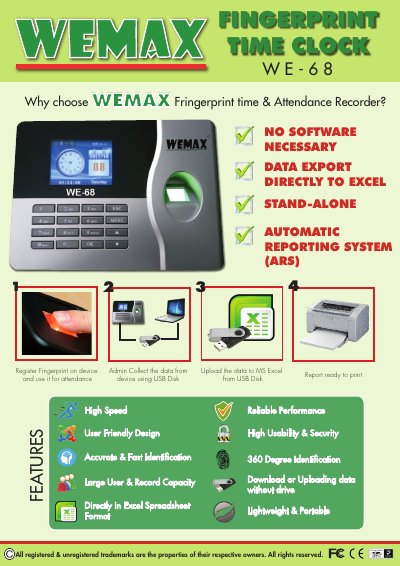
The WEMAX W-E-68 is a fingerprint time clock and attendance recorder. It requires no software, exports data directly to Excel, and includes a stand-alone automatic reporting system (ARS).
Listed features include user-friendly design, accurate and fast identification, large user and record capacity, reliable performance, high usability and security, high-speed data download or upload without a drive, 360-degree identification, lightweight and portable construction, and direct Excel spreadsheet output. Specifications include 1,000-user capacity, 100,000-transaction storage, 500 dpi resolution, 1:1 or 1:N verification, fingerprint or password access, identification under 1 second, FAR under 0.0001%, FRR under 0.01%, USB host communication, power consumption under 5 W, 0-60 operating temperature, 20%-60% operating humidity, and a size of 180 x 140 x 45 mm.
| User Capacity | 1,000 |
|---|---|
| Transaction Storage | 100,000 |
| Resolution | 500dpi |
| Access | Fingerprint, Password |
| FAR | < 0.0001% |
| FRR | < 0.01% |
| Communication | USB HOST |
| Power Consumption | < 5W |
| Operation Temperature | 0 - 60 |
| Operation Humidity | 20% - 60% |
| Size | 180(L) X 140(W) X 45(D)mm |
No software is necessary; data exports directly to Excel.
The user capacity is 1,000.
Data is collected from the device using a USB disk.