
Installation and startup guide for Weintek MT6071/8071/8101iE Series HMI panels, covering unpacking, mounting, power, settings, and wiring.
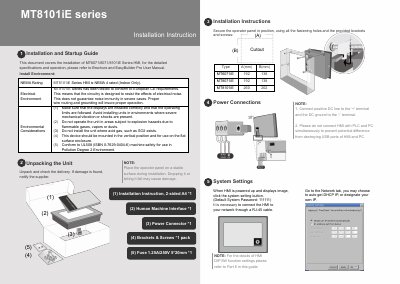
This guide covers installation and startup of the Weintek MT6071/8071/8101iE Series HMI. It describes environmental considerations, unpacking, mounting with brackets and screws, power connections, system settings, and EasyBuilder Pro software download steps.
It also provides communication port pinouts, DIP switch modes, power and fuse requirements, wire routing, hardware and programming considerations, and limited warranty terms.
| Cutout dimensions (MT6071iE) | A 192 mm, B 138 mm |
|---|---|
| Cutout dimensions (MT8071iE) | A 192 mm, B 138 mm |
| Cutout dimensions (MT8101iE) | A 260 mm, B 202 mm |
| Power supply voltage | 24±20% Volts DC |
| Peak starting current | As high as 2A |
| Supplied fuse | 1.25A/250V, 5*20mm |
| Power wire length | Max 500 m shielded, 300 m unshielded |
| Static dissipation components | 1M Ohm resistor and 4700pF capacitor |
| NEMA rating (MT8101iE) | NEMA 4 rated (Indoor Only) |
| Default system password | 111111 |
| COM1 port | 9 Pin, Male, D-sub [RS232] |
| COM2/COM3 port | 9 Pin, Female, D-sub [RS485] |
| Warranty period | 12 months from the manufacturing month |
The default system password is 111111.
The HMI is powered by DC power only, with a voltage range of 24±20% Volts DC.
The supplied fuse is 1.25A/250V, 5*20mm.
Launch EasyBuilder Pro, select the project file, press F7, choose Ethernet > IP, enter the HMI IP, and click Download.