
Quick guide to set up and use the Vodafone Mobile Wi-Fi R218 device, including Wi-Fi setup, SIM activation, and LED indicators.
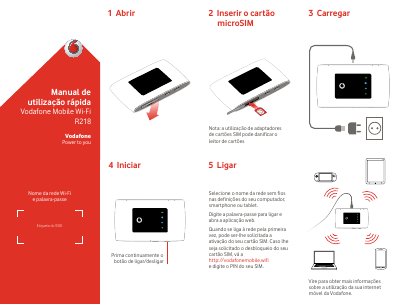
This manual explains how to connect to Wi-Fi, activate your SIM card, and use the monitoring app. It includes a quick start guide with steps to insert the microSIM, charge the device, and turn it on. The document also details LED indicators for battery, Wi-Fi status, and SMS notifications.
The manual provides instructions for accessing the web interface and downloading the monitoring app for iOS and Android devices. It includes a QR code for app download and a link to vodafonemobile.wifi for web access and SIM PIN setup. This manual is written in Portuguese.
Go to http://vodafonemobile.wifi and enter your SIM PIN if prompted.
Download from your device’s app store or scan the QR code provided in the manual.
Wi-Fi (WLAN) active: steady light; Wi-Fi off: off; WPS active: blinking.