
Installation manual for the Visiontec V T 1000 satellite receiver: front and rear panel controls, remote control, channel programming and technical…
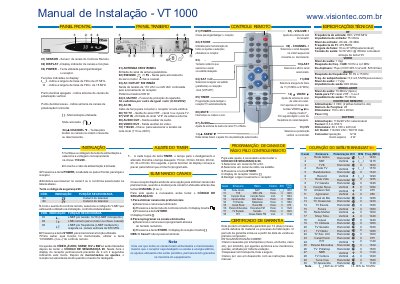
This is the Portuguese installation manual for the Visiontec V T 1000 satellite receiver. It describes the front panel keys (POWER, STORE, numeric keypad, SAT/LO, TIMER, MUTE, AUDIO, VIDEO, H/V, SKEW, BW, LAST, CHANNEL and VOLUME), the indicators shown on the display, and the rear panel connections such as the 950/2150 MHz antenna input, servo/coaxial switch output, AC outlet, fuse, AC IN, TO TV, VHF IN and the audio/video outputs.
The manual then explains installation steps, including selecting 110/220 V and tuning the TV to channel 3 or 4, the timer adjustment, deleting and reprogramming channels using the safety code 90, programming radio channels via the remote control, and the LNB function codes 91/92/93. It closes with technical specifications, a Brasilsat B1 satellite channel occupancy table and a 12-month warranty certificate. This manual is written in Portuguese.
| Input frequency | 950 / 2150 MHz |
|---|---|
| Input impedance | 75 Ohms |
| Input level | -60 to -30 dBm |
| IF frequency | 479.5 MHz |
| Bandwidth | 18 or 27 MHz (selectable) |
| Output voltage | 14/18 VDC @ 350mA, switched with H/V key |
| Power supply | 110/220 VAC selectable |
| Fuse | 0.3 A / 250 V |
| Dimensions | 60 x 180 x 240 mm |
| Power consumption | 12 W operating, 4 W standby |
| AC outlet | 110/220 VAC, 500 W max. |
These adjustments are only released after entering safety code 90 on the keypad.
Press the TIMER key repeatedly to choose 15 min, 30 min, 60 min, 90 min, 2h, 3h or 00 min; the display decimal point blinks when the timer is set.
No, the manual states that channel 1 cannot be eliminated.
Check the mains voltage and select the corresponding position on the 110/220 switch before connecting the power cord.