
This quick start guide introduces the uFun development board, its resources, setup steps, and basic demo usage.
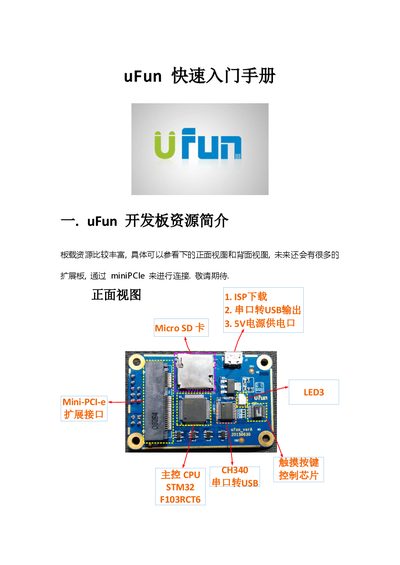
The guide begins with an overview of the uFun development board’s hardware resources, including the STM32F103RCT6 CPU, CH340 USB‑to‑UART bridge, mini‑PCIe expansion connector, 5 V power input, RGB LED, RTC, and a micro‑SD card slot. Pin‑out diagrams for the front and back sides are provided, along with a simple schematic of the CPU section.
It then walks through setting up the development environment: installing Keil‑MDK, adding the MDKCM515 package for Cortex‑M support, installing the CH340 driver for ISP, and using J‑Link or U‑Link for SWD debugging. Finally, the document shows how to run a demo program, explains LED indications for SD‑card status, and provides troubleshooting tips for virtual COM‑port detection. This manual is written in Chinese.