
User guide for the UBox smart camera covering installation, app setup, features, and troubleshooting for home security monitoring.
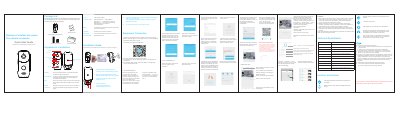
This manual provides a quick start guide for the UBox smart camera, detailing the included equipment, installation steps, and initial setup via the mobile app. It explains how to connect the device to a 2.4G Wi-Fi network and register it within the UBox application for remote monitoring.
| Resolution | 1920*1080 |
|---|---|
| Field of View | 155° |
| IR LED | 6*850nm |
| Wi-Fi Standard | 802.11 b/g/n |
| Battery Type | 2pcs 18650 batteries |
| Power Consumption (Standby) | 120 uA |
| Power Consumption (Working) | 170 mA |
The device can work with two 18650 batteries alone or be charged through a TYPE-C interface.
The device requires a 2.4G protocol wireless network to connect.
Press the reset button for 5 seconds until the indicator light turns to a slow red flash.