
Quick installation guide for U.S. Robotics 5-port 10/100 Ethernet switch with LED indicators, troubleshooting, and warranty info.
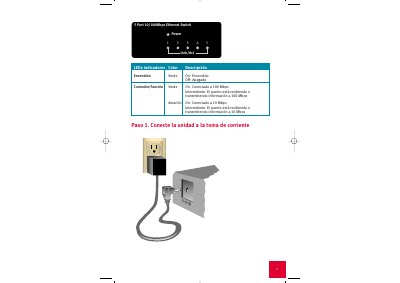
This guide walks you through connecting the 5-port 10/100 Ethernet switch to power and devices. LEDs indicate connection status and speed. Troubleshooting tips address connection issues and slow speeds. Warranty details and support contacts are provided for further assistance.
The switch supports auto-sensing ports for connecting hubs, switches, or routers with standard Ethernet cables. It complies with FCC Class B and CE standards, and includes a 2-year hardware warranty and 90-day software warranty. This manual is written in Chinese.
| Port Count | 5 |
|---|---|
| Speed | 10/100 Mbps |
| Compliance | FCC Class B, CE |
El Switch de 5 puertos Ethernet 10/100 puede usarse con un cable Ethernet estándar de conexión directa.
Todos los puertos pueden usarse como de conexión ascendente ya que cada uno de ellos detecta automáticamente el tipo de dispositivo (crossover automático).
La longitud del cable Ethernet entre su Switch y su dispositivo no debe ser de más de 100 metros. Interferencias electromagnéticas fuertes pueden causar problemas. Reemplace el cable RJ-45 Categoría 5 si es necesario. Reconfigure los parámetros de red de su sistema operativo.