
This manual provides instructions for connecting, setting up, and troubleshooting the TP-LINK WTC181 dual-band Wi-Fi 6 router.
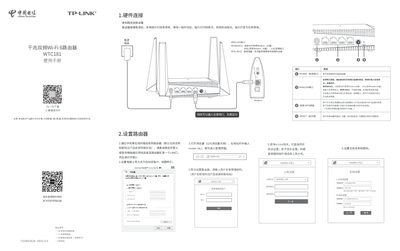
The TP-LINK WTC181 is a Gigabit dual-band Wi-Fi 6 router designed for home networking. This user manual guides users through hardware connections, initial setup via a web interface (router.ctc/), and configuring wireless settings including SSID and passwords.
The document also covers advanced features such as the e-Link protocol for synchronization with China Telecom gateways, operating modes (Bridge vs. Route), and factory reset procedures. It includes troubleshooting steps for common issues like inability to access the management interface or lack of internet connectivity. This manual is written in Chinese.
Press and hold the 'RESET' button on the back panel until the system indicator light flashes, then release.
The default address to enter the management interface is router.ctc/.
Log in to the management interface, go to Advanced Settings > Device Management > Route/Bridge Mode Switching.