
This guide provides quick installation instructions for the TP-LINK TL-XDR6020 Wi-Fi 6 router, covering hardware connection, initial setup, and EasyMesh…
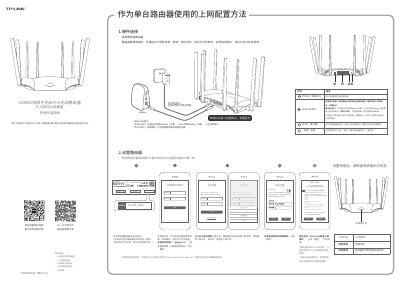
The document serves as a quick installation guide for the TP-LINK TL-XDR6020 EasyMesh Edition dual-band gigabit Wi-Fi 6 wireless router. It details the steps for connecting the hardware, powering on the device, and configuring it either as a standalone unit or as part of an 'EasyMesh' network using other compatible routers. This manual is written in Chinese.
Press and hold the 'RESET' button on the back panel until the system indicator light flashes, then release.
Ensure the network cable is connected correctly according to the hardware connection section and verify that the internet settings match your actual line environment.
Yes, you can connect up to 8 'EasyMesh' routers in a distributed Wi-Fi network by pressing the 'EasyMesh' buttons on two routers within two minutes.