
TP-LINK TL-AP450D Wireless Desktop AP Quick Installation Guide

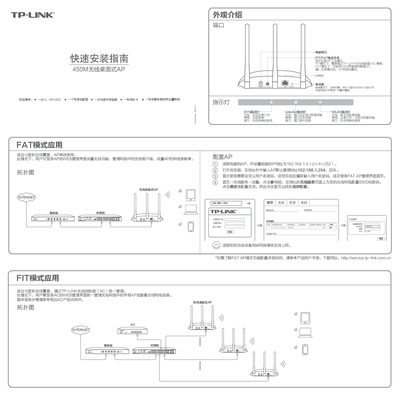
Quick installation guide for the TP-LINK TL-AP450D wireless desktop access point, covering FAT and FIT modes, indicator lights, and configuration steps.

TP-LINK TL-AP450D Wireless Desktop AP Quick Installation Guide - cover page
Brand
TP-Link
Category
Wireless connection
Document type
Quick Start Guide
Language
Chinese
Pages
1
File format
PDF
File size
2.4 MB
Published
13 October, 2026
Updated
13 October, 2026
MD5 checksum
8EE369041D34304CDAD378B7A6EF4A86

About this manual

This document serves as a quick installation guide for the TP-LINK TL-AP450D wireless desktop access point. It includes an introduction to the product appearance, indicator light descriptions, and instructions for FAT and FIT modes. The guide also covers configuration steps and related settings. This manual is written in Chinese.

What's inside

  • Product Appearance
  • Indicator Lights
  • FAT Mode Application
  • FIT Mode Application
  • Mode Switching
  • Factory Reset
  • Configuration Steps
Download PDF (2.4 MB)

More TP-Link Manuals


View all TP-Link manuals →