
TP-LINK Easy Expand Panel AP Quick Installation Guide

This guide provides quick installation steps, product introduction, technical parameters, configuration methods for FAT/FIT modes and IPTV, and warranty…
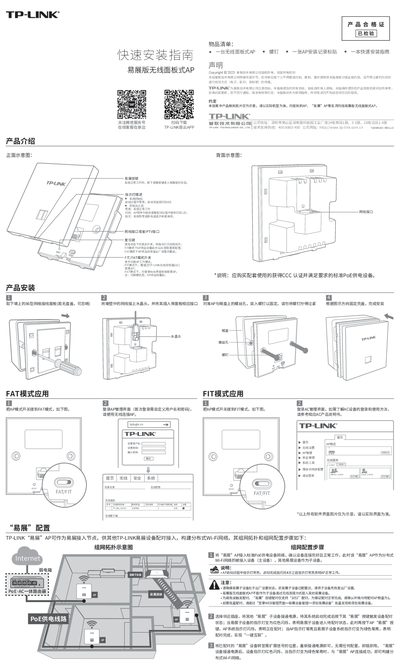

TP-LINK Easy Expand Panel AP Quick Installation Guide - cover page
Brand
TP-Link
Category
Wireless connection
Document type
User Manual
Language
Chinese
Pages
2
File format
PDF
File size
1.4 MB
Published
13 October, 2026
Updated
13 October, 2026
MD5 checksum
184081F8E429814EB7E113CE81519A88

About this manual

This document is a quick installation guide for the TP-LINK Easy Expand wireless panel AP. It covers the necessary items included in the package, physical mounting instructions on an 86-type network jack, and initial setup procedures including FAT mode configuration via web interface or FIT mode management via a Wireless Controller (AC). This manual is written in Chinese.

What's inside

  • Product Introduction
  • Item List
  • Installation Steps
  • FAT Mode Setup
  • FIT Mode Setup
  • Easy Expand Pairing
  • IPTV Configuration
  • Indicator Descriptions
  • Warranty Information

Frequently asked questions

How do I pair an Easy Expand device?

Press the 'Easy Expand' button on the main AP and then on the sub-device until both indicators turn solid green.

What does the indicator light mean when flashing?

The AP software is upgrading or performing Easy Expand pairing.

Download PDF (1.4 MB)

More TP-Link Manuals


View all TP-Link manuals →