
TiVo BOLT VOX setup guide: activate service, order a CableCARD, connect coax or HD antenna, HDMI and network, run Guided Setup, and learn the remote buttons.
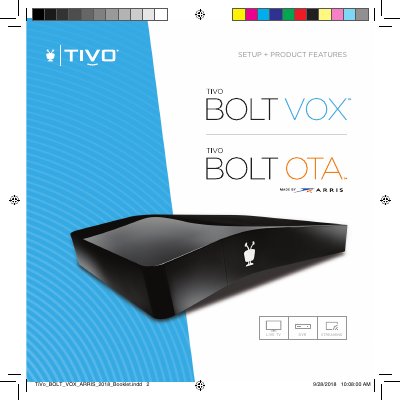
This TiVo booklet walks retail buyers of the TiVo BOLT VOX (and TiVo BOLT OTA) through setup. Step 1 is activating TiVo service at tivo.com/activate or by calling TiVo Customer Support, using the 15-digit TiVo Service Number printed on the underside of the unit. Step 2 covers ordering a multi-stream CableCARD (M-CARD) from a cable provider, with a list of support and activation phone numbers for major cable companies. Step 3 explains inserting the CableCARD, connecting coax cable or an HD antenna, the included 4K-ready HDMI cable, home network (Ethernet Cat5e recommended, or built-in wireless) and power. Step 4 describes completing Guided Setup from the TiVo Welcome screen.
The second half of the booklet describes the remote control buttons — TiVo button, TV PWR, INPUT, BACK, arrows, VOICE, volume and mute, playback controls, REPLAY, ADVANCE, SKIP, NETFLIX, ENTER/LAST — including how to program TV power, input, volume and mute under Menu > Settings > Remote, CableCARD & Devices > Remote Control Setup. The final page gives FCC compliance information, model numbers for the BOLT VOX and BOLT OTA variants, FCC IDs, and the 20 cm RF exposure distance.
| Model Numbers | TCD849500V (VOX 500GB), TCD849000V (VOX 1TB, 4 tuner), TCD849300V1 (VOX 1TB, 6 tuner), TCD849300V (VOX 3TB), TCD849000VO (OTA 1TB) |
|---|---|
| Voice Remote Model | CRB97 |
| FCC IDs | TGN-TCD8495 (TiVo BOLT VOX), TGN-CRB97 (Voice remote), RAXWN8722BTAAC (Wi-Fi board) |
| Minimum RF Exposure Distance | 20 cm between the radiator and your body |
| Network Connection | Built-in wireless, or Ethernet (Cat5e cable required) |
| Included Cable | 4K-ready HDMI cable |
Activate your service at tivo.com/activate or by calling TiVo Customer Support at (877) 367-8486; you will need your 15-digit TiVo Service Number.
It is found on the underside of your BOLT VOX or BOLT OTA.
Go to Menu > Settings > Remote, CableCARD & Devices > Remote Control Setup to program them.
Press and hold the VOICE button to issue voice commands; press and release it to see command examples.