
This Telstra Gen 3 Smart Modem guide shows how to log in to the modem and configure the Guest Wi-Fi network for smart devices.
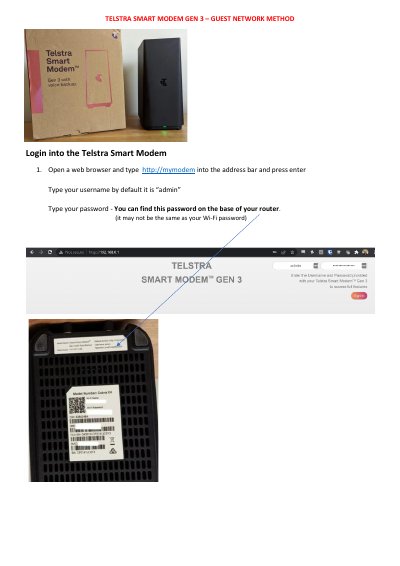
This guide covers the Telstra Gen 3 Smart Modem (Telstra Smart Modem Gen 3). It explains how to log into the modem using a web browser at http://mymodem with the default username admin and the password printed on the router base.
It then describes enabling the Guest Wi-Fi network through the Wi-Fi icon and Guest tab, turning Split and State on, selecting WPA2-PSK security, and saving the SSID and password. Finally, it explains connecting a phone to the Guest signal and pairing a smart device using the Mirabella genio app, including the EZ and AP blinking methods.
Open a web browser, type http://mymodem, then sign in with the default username admin and the password printed on the router base.
Click the Wi-Fi icon, select the Guest tab, set Split and State to ON, choose WPA2-PSK security, then save the SSID and password.
Select the Guest Wi-Fi signal on your phone, enter the saved wireless password, then pair the device in the Mirabella genio app.
Try the slow blinking AP method instead.