
Help manual for Tanita Health Ware health tracking software, covering user profiles, measurements, device connections, analysis, graphs, and file sharing.
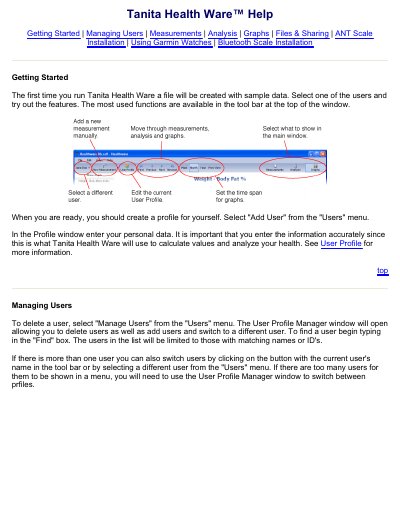
Tanita Health Ware is a software program that uses measurement data to track health and fitness. Users can create profiles with personal data and goals, manage multiple users, and enter measurements manually or receive them from Tanita scales.
The help document describes User Profile settings, measurement fields for scales, pedometers, and blood pressure monitors, and measurement navigation and editing. It also lists sections for analysis, graphs, files and sharing, ANT and Bluetooth scale installation, and using Garmin watches.
| Measurement device types | Scale, pedometer, blood pressure monitor |
|---|---|
| Units | English (Lb), English (St-Lb), Metric |
| Visceral fat rating | 12 or less is considered healthy |
| Password reset | Not available |
Select "Add User" from the "Users" menu and enter your personal data in the Profile window.
Click "New Measurement" in the tool bar, select the device you are using, fill in the data, and click "Save".
Select "Tanita Health Ware Options..." from the File menu, choose the scale from the list, and click "Connect".
You can choose English (Lb), English (St-Lb), or Metric.