
User manual for the DATA-6216 micro‑power measurement and control terminal, covering features, installation, operation and troubleshooting.
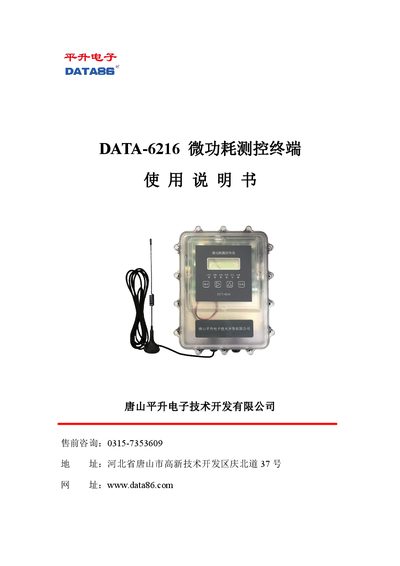
The DATA-6216 is a low‑power, waterproof measurement and control terminal powered by a high‑performance lithium battery. It can acquire signals from various instruments and transmit data via 4G/NB‑IoT or Bluetooth, making it suitable for remote monitoring in water supply, agriculture, geology and environmental applications.
The manual provides a product overview, technical specifications, installation instructions, wiring diagrams, basic operation steps, and a troubleshooting guide to help users set up and maintain the device effectively. This manual is written in Chinese.
| Communication methods | 4G/NB‑IoT |
|---|---|
| Power supply | 10V‑30V DC (default battery 14.4V) |
| Battery life | 1‑5 years |
| Sleep current | ≤30 µA |
| Storage capacity | 4 MB (default, 5‑min interval, up to 12 months) |
| Operating temperature | -40 °C to +85 °C |
| Ingress protection | IP68 |
| Dimensions | 229 mm × 179 mm × 69 mm |
Remove the four screws around the cover, open the cover, unscrew the four battery‑fixing screws, take out the old lithium battery pack, insert the new pack, re‑secure the screws, reconnect the power terminals and reseal the device.
Open the device housing, connect the DB9 serial port to a computer, launch the tool software, set the serial parameters to 9600,N,8,1, then press a key on the device to enable serial debugging.
The terminal supports two communication modes: 4G and NB‑IoT, allowing data transmission over cellular networks or via short‑message services.