
User manual for the Surpon SPA-300DE DC energy meter, covering installation, operation, parameters and Modbus communication.
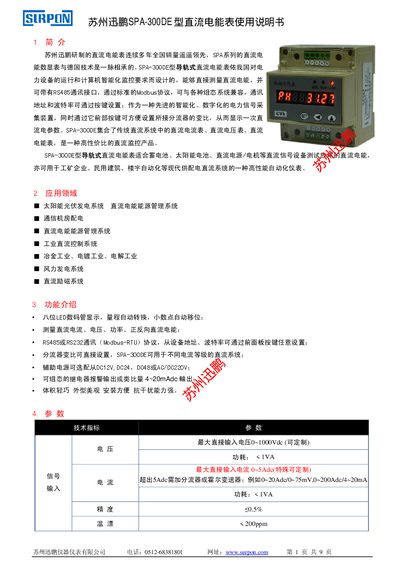
The SPA-300DE is a DIN‑rail mounted DC energy meter designed for solar PV, telecom, industrial DC control and other applications. It measures DC voltage, current, power and both forward and reverse energy, and provides RS485/RS232 Modbus‑RTU communication.
The manual describes the device’s functions, technical specifications, wiring, menu navigation, parameter settings, communication protocol details and error handling, along with dimensions, installation method and contact information for Surpon. This manual is written in Chinese.
| Maximum direct input voltage | 0~1000 Vdc (customizable) |
|---|---|
| Maximum direct input current | 0~5 A (special custom up to 20 A) |
| Temperature coefficient | < 200 ppm/°C |
| Operating temperature range | 0 °C – +55 °C |
| Communication interfaces | RS485 or RS232 Modbus‑RTU |
| Display | 8‑digit LED numeric display |
Both the address and baud rate can be configured using the front‑panel buttons.
It supports RS485 or RS232 interfaces using the Modbus‑RTU protocol.
When the LCK=100 page shows PH (forward) or -PH (reverse), press the SET key together with the appropriate key to reset the value.
The meter can be powered from DC12 V, DC24 V, DC48 V or AC 220 V, with power consumption under 2 VA.